 How to find easily which switch is assigned to IMG node.
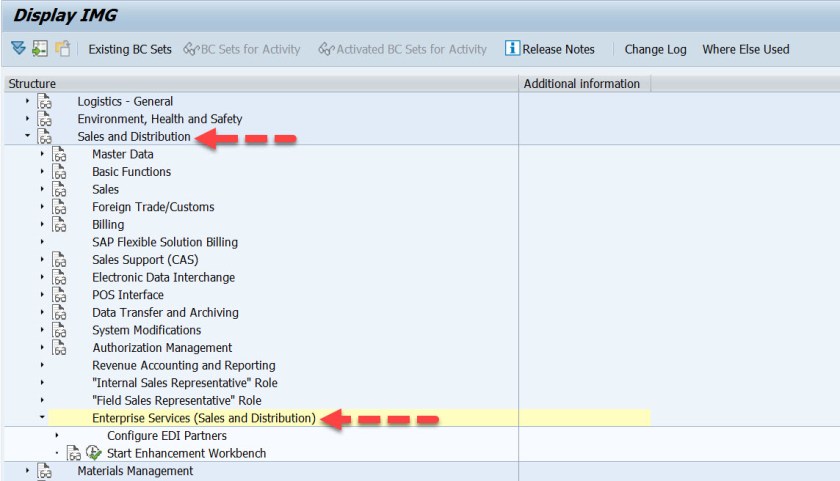
Go to Tx- SPRO and select SAP Reference IMG . Navigate to Sales and Distribution and select Enterprise Services( Sales and Distribution).
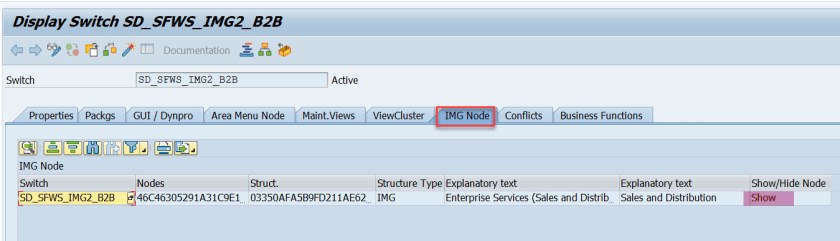
If we want to know if this node Enterprise Services( Sales and Distribution) is controlled by any switch or not then from the menu navigation we can easily get to know.
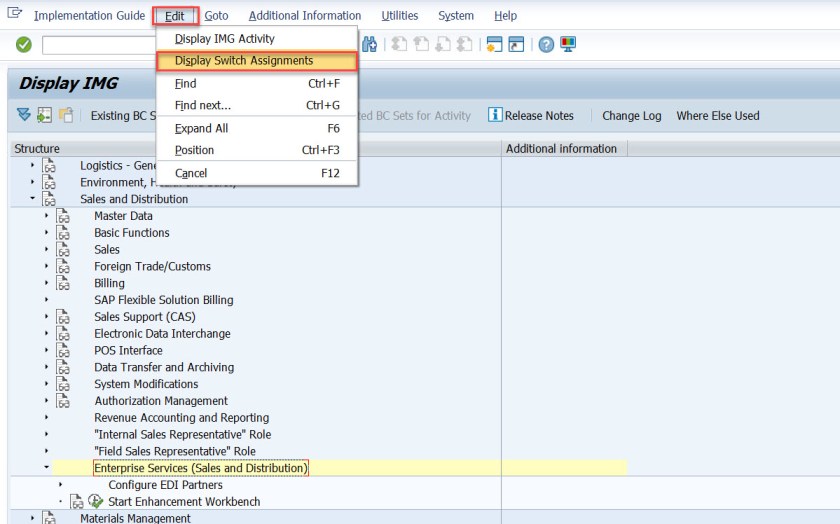
It is assigned to a switch.
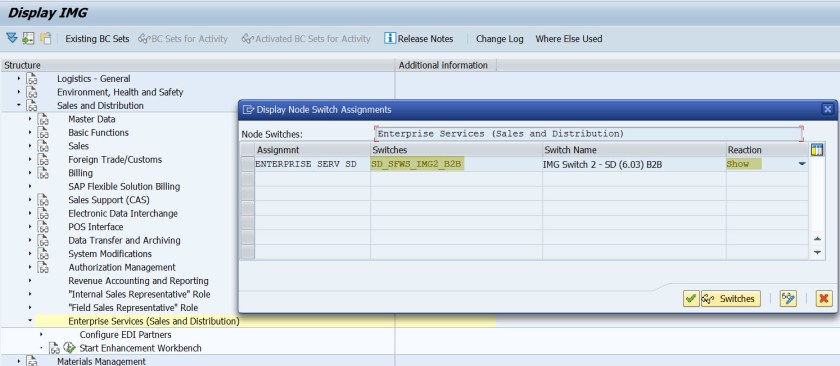
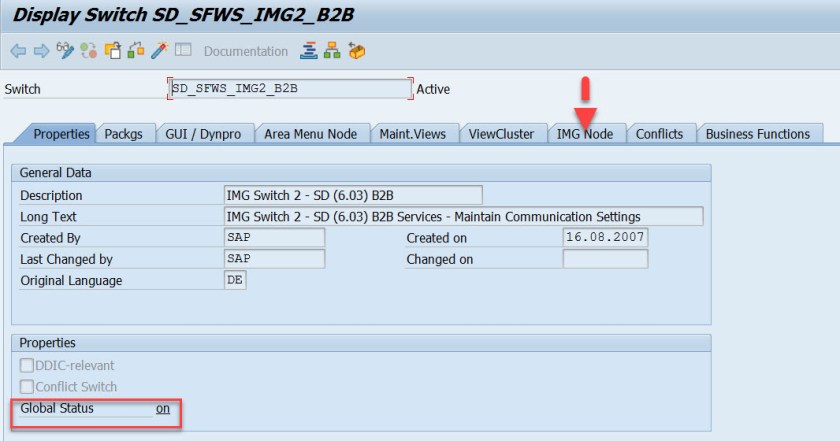
Any more details about the switch can be displayed by using Tx- SFW1 or select the line and select button Display Switches.
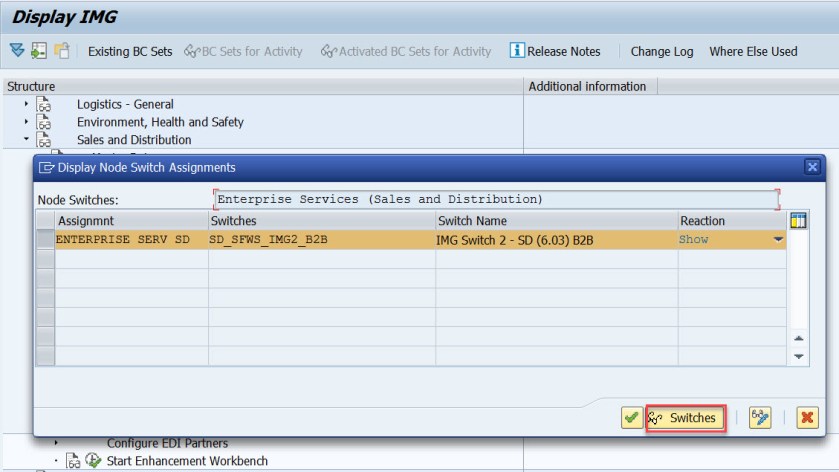
The switch is ON . So the IMG node is displayed in the SPRO.
 SAPCODES