Workflow settings created in Tx- SWU3.

The first settings under Maintain Runtime environment is – Configure RFC destination. SAP Documentation states that we need a logical RFC destination with name as – WORKFLOW_LOCAL_XXX (XXX – client number) and which uses WF-BATCH (system user).Here we have already RFC destination is configured. Select & Execute.
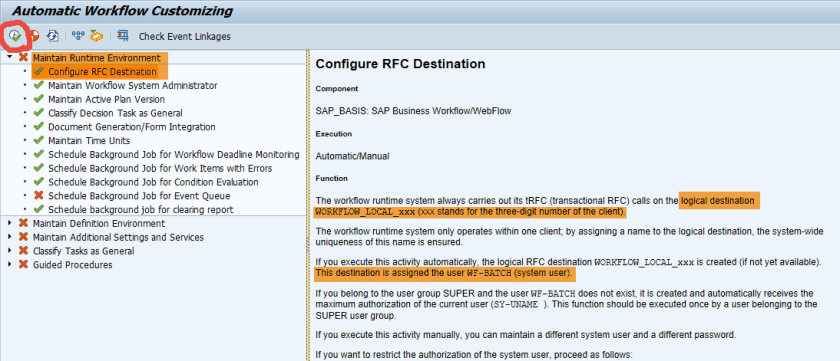
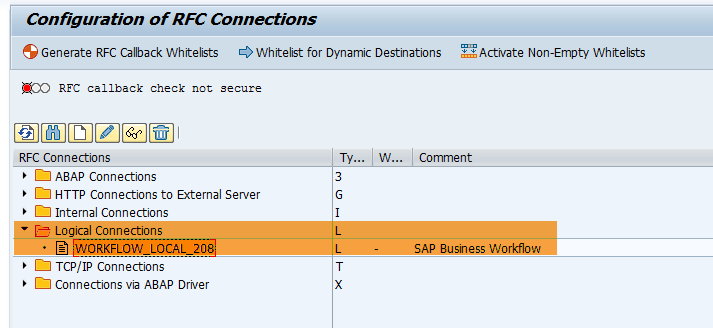
It displays the logocal rfc destination as -WORKFLOW_LOCAL_208 ( 208 is the client ).

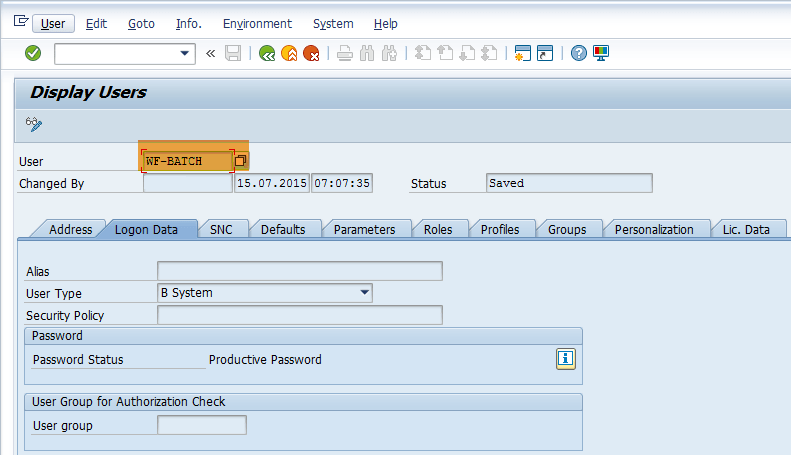
Go to Tx- SU01 & cehck the user WF-BATCH & USER Type as- B System user.
Go to Tx- SM59 and check the logical destination .
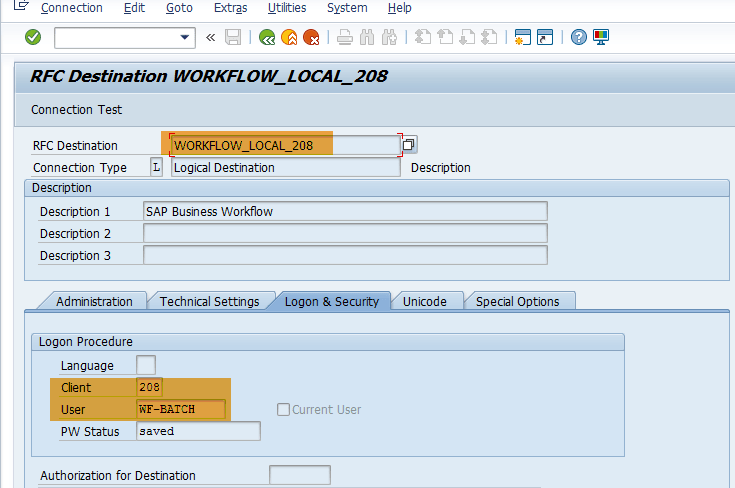
It uses WF_BATCH workflow user.
 SAPCODES
Thanks for this write up, can you change the user incase you find it is not WF-BATCH in SM59? if so how to make the change?
LikeLike
I lost my password of my email can you help me retrieve
LikeLike
Anonymous on FPM application (OIF- Object Instance Floorplan)
LikeLike
The first settings under Maintain Runtime environment is – Configure RFC destination. SAP Documentation states that we need a logical RFC destination with name as – WORKFLOW_LOCAL_XXX (XXX – client number) and which uses WF-BATCH (system user).Here we have already RFC destination is configured. Select & Execute.
LikeLike