Go to Tx- SE93 
Let’s find out the user exits present in VA01 transaction.
Open the transaction.
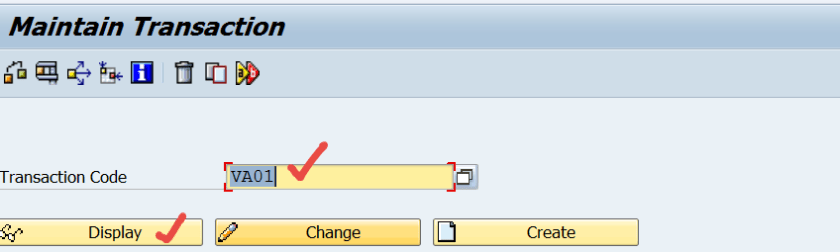
Double Click on the program.

Click on the Object List icon.
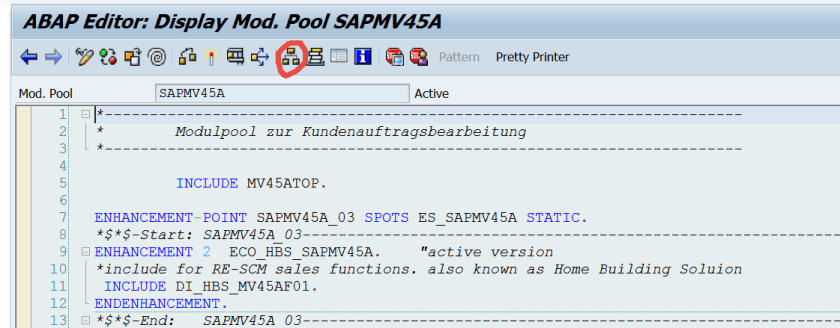
As User Exits are Sub routines, Expand the Subroutine node from the left side tree hierarchy.
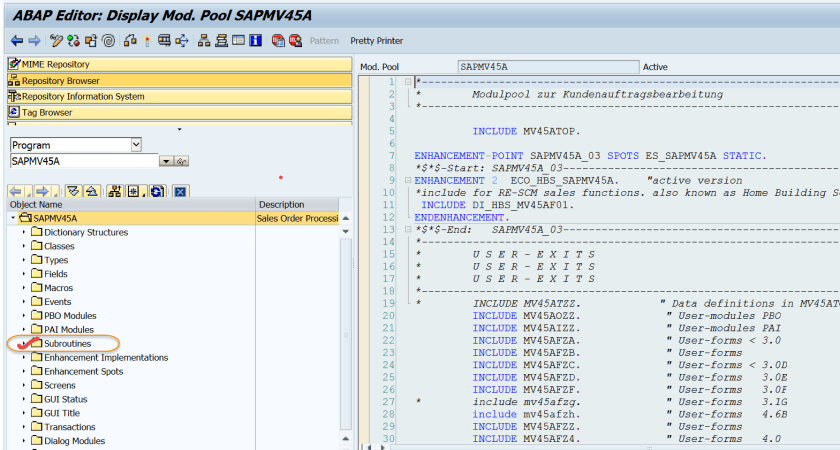
Here we can find all user exits.
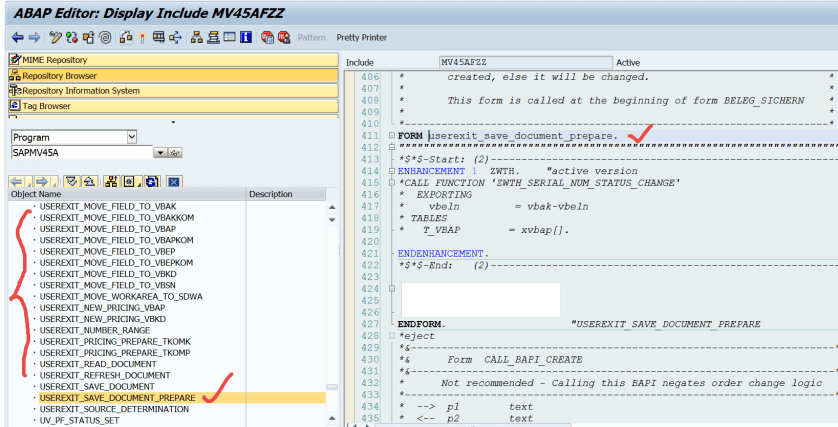
Other way to search user Exits is open the program and select the search icon.
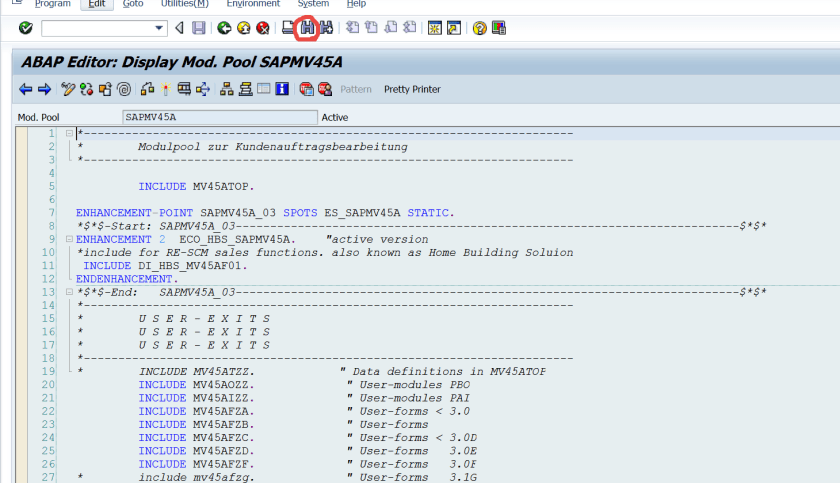
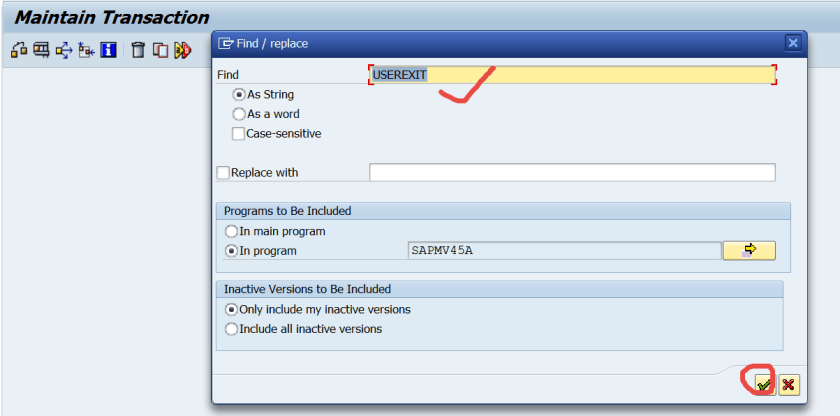
Search for the word USEREXIT
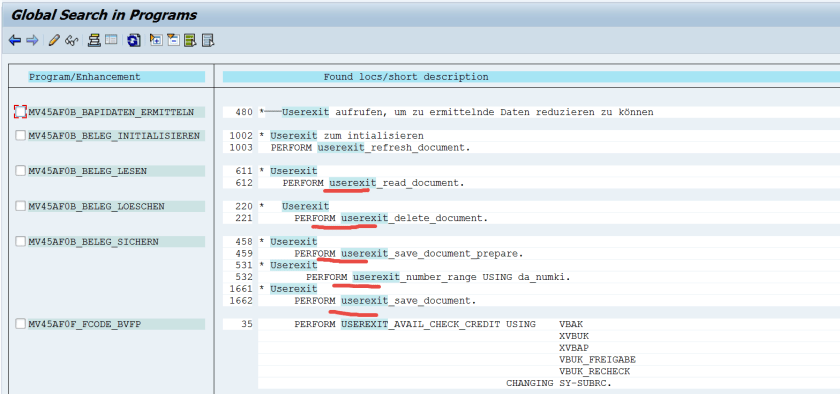
Here the list of userexit subroutines displayed .
 SAPCODES
Hi, I am enjoying all of your posts! Very informative 🙂
LikeLiked by 1 person
Thanks for the bold comment!
LikeLike
very informative information. please keep posted.
LikeLike
Very informative, thanks for sharing
LikeLike
NIce doucument.
LikeLike