In SOM, for usage calculation the charge & charge plans are designed in CC system and then the charge plan is assigned to the subscription usage product via the subscription specific fiori app in the CCM[ cross catalog mapping] section.
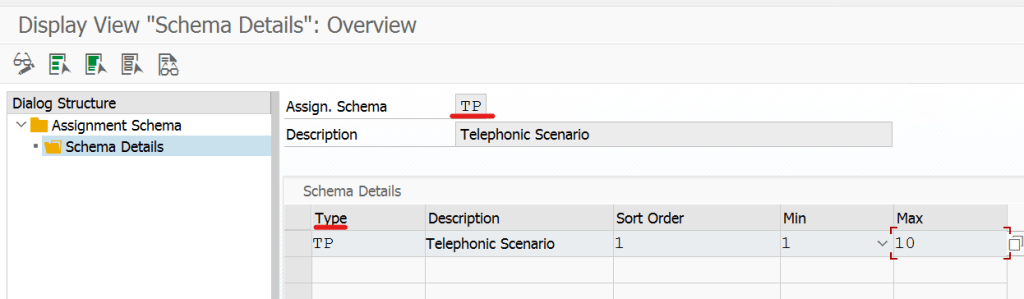
In the SPRO-> Service, below shown path the Technical Resource: the type of indentification and the schemas are defined and later one of the schema can be assigned to the subscription usage based product.

So here we have a Schema TP and the type of identification as TP.
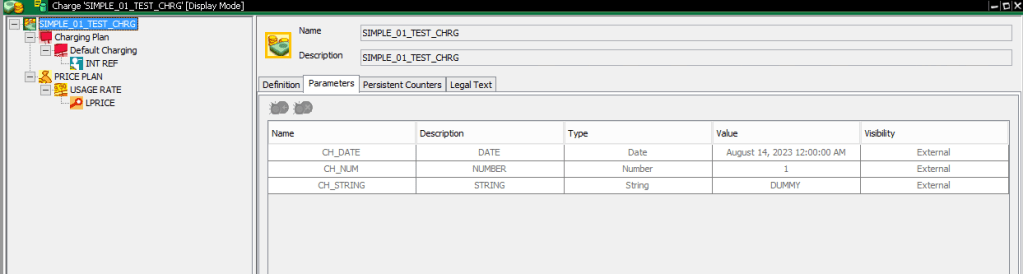
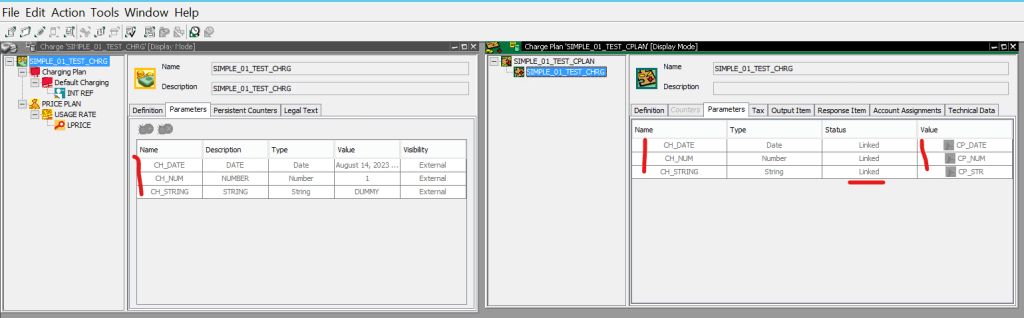
In CC system- the Charge is having 3 different parameters[ DATE TYPE/NUM TYPE/ STRING TYPE] and also the charge contains usage price plan[ we can define usage price/rec price/one shot price in CC price plan].
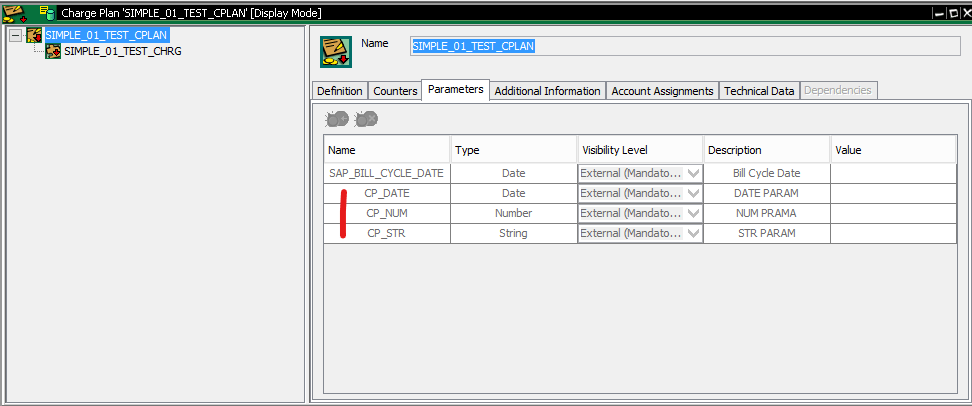
The above Charge is assigned to a Charge Plan and in our charge plan we have parameters[ note that- SAP_BILL_CYCLE_DATE is the mandatory parameter that automatically created when a charge plan is created].
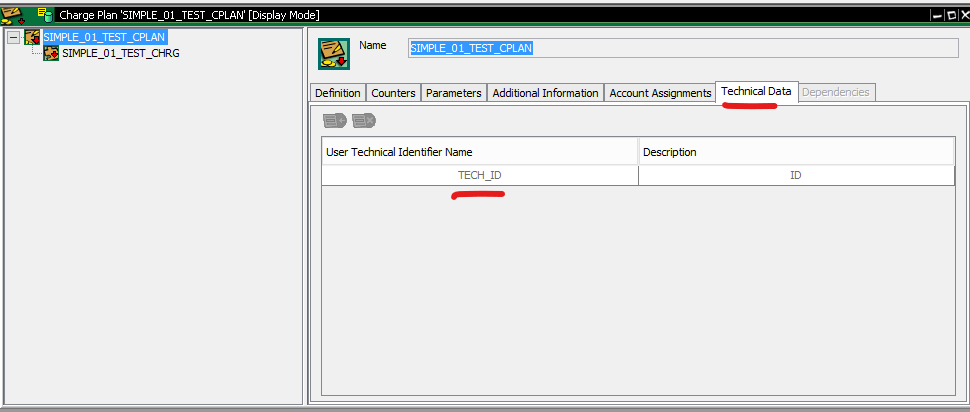
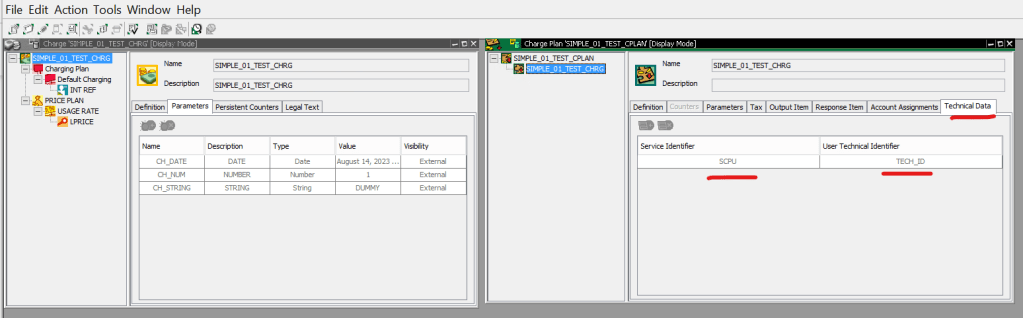
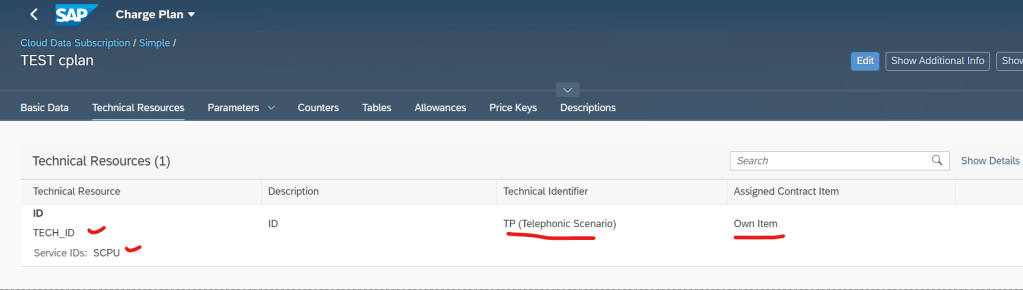
In the charge plan, under technical data- we have defined a ID name as TECH_ID. This technical ID must be filled when the subscription contract will be created.
Here the link between the Charge and charge plan parameter are established.
In the Charge, add the Technical Identifier and the Service Identifier.
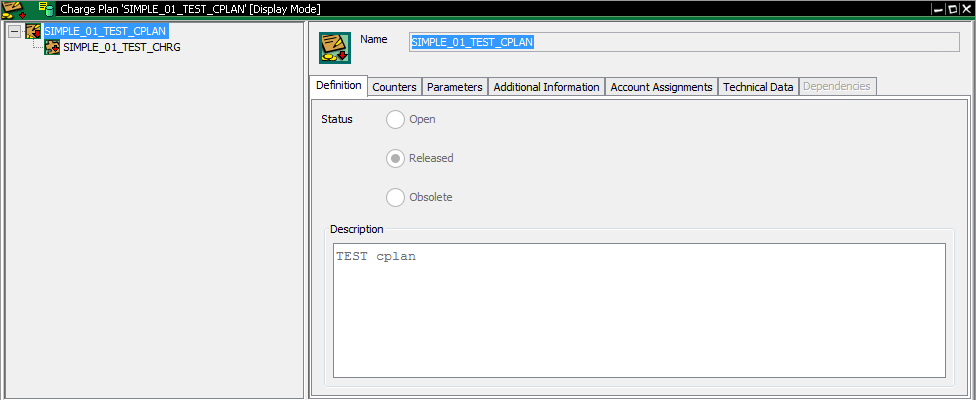
Release the charge plan.
Now in the subscription specific product fiori app- We can create a product[ Note- the product must be created first in MM01/relevant firoi app for Product Master fiori app with material type SUBS and correct item category.]
Create a CCM – [ Set the status to Release after adding the charge plan].
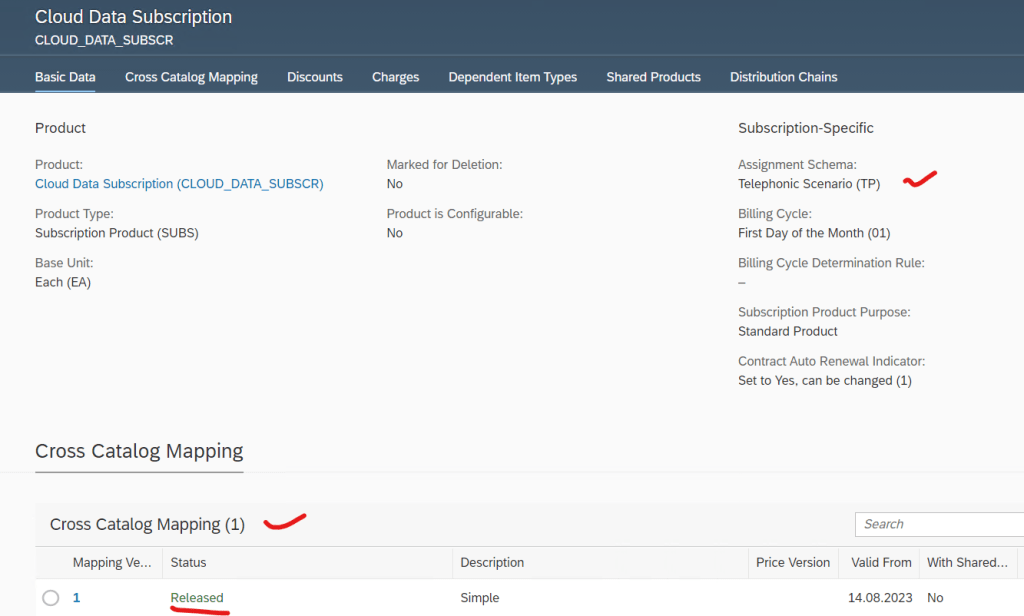
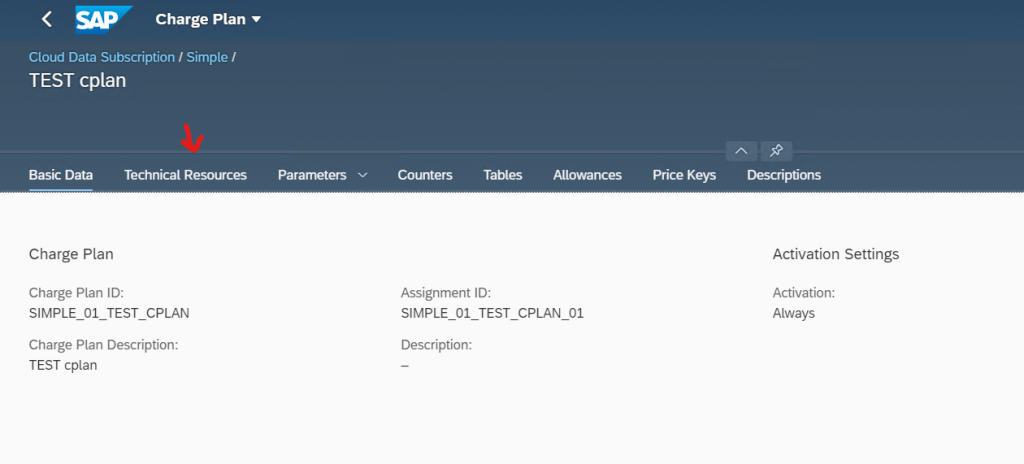
In the CCM- Assign the charge plan.
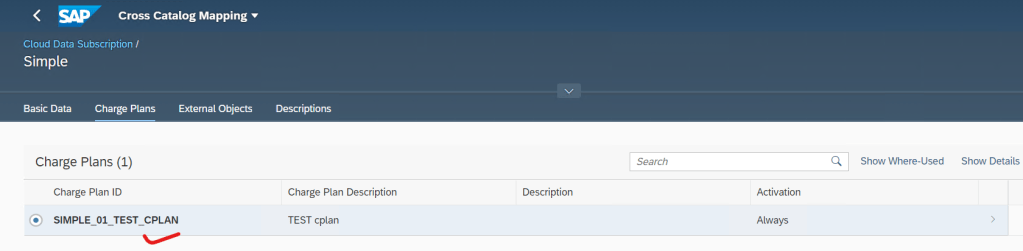
In the Technical Resource section-
Assign the Identifier [ Identifier comes from the schema]
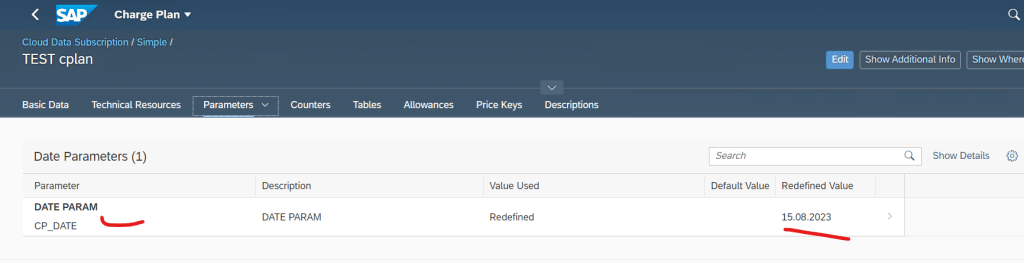
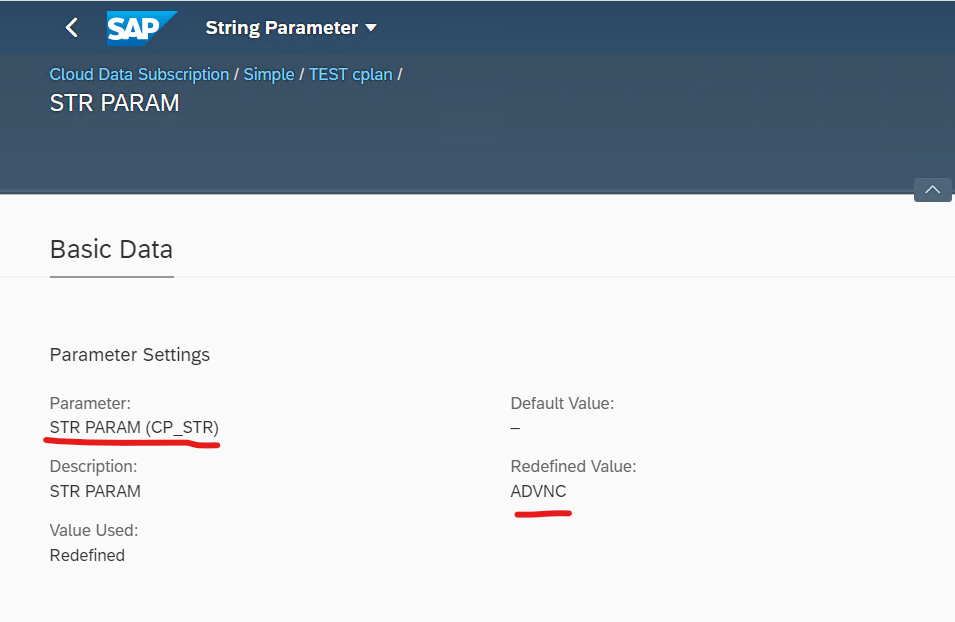
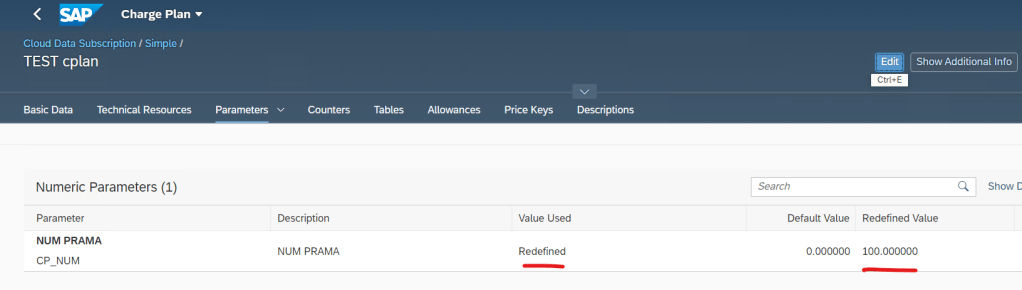
In the Parameters section- Additionally the value of the parameters can be optionally redefined.
String Param-
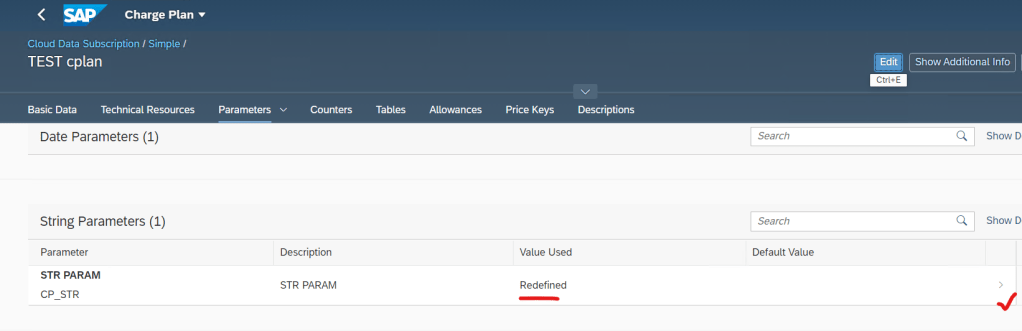
String Param-
Numerci Param-
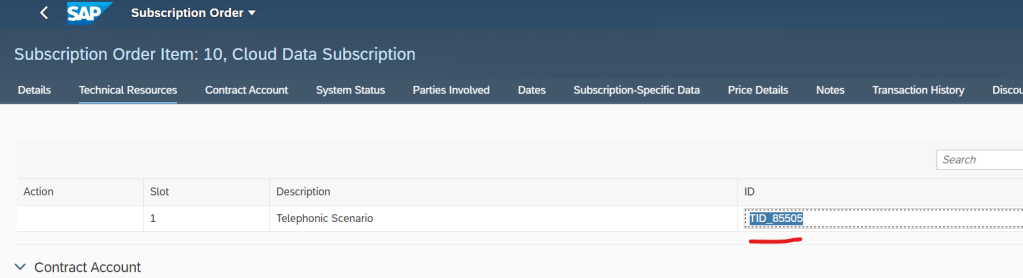
Create a subscription order and add product and in the item details sectrion-
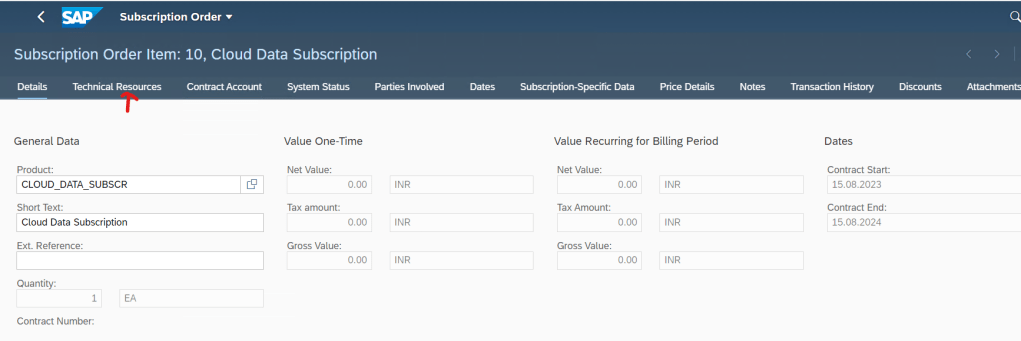
Fill the technical ID.
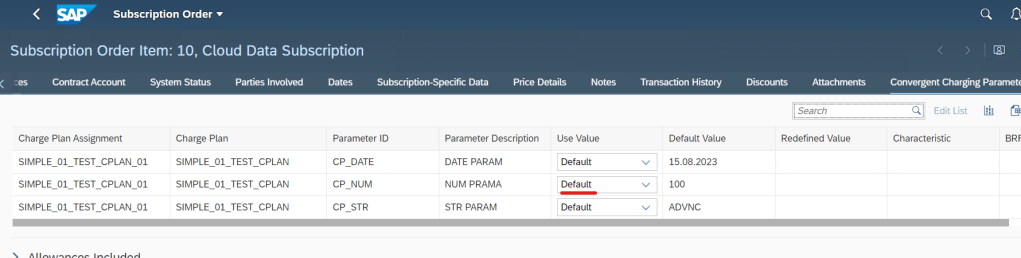
In the Convergent Charging Parameters section- All parameters appear[ the values can be redefined here as a part of this oredr/contract].
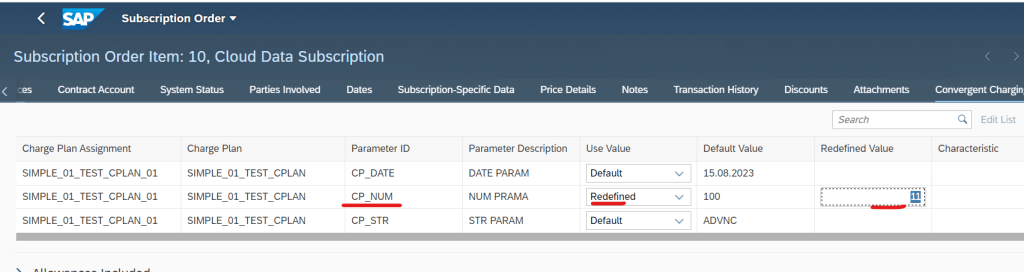
Some param values redefined.
Submit the order and contract is created.
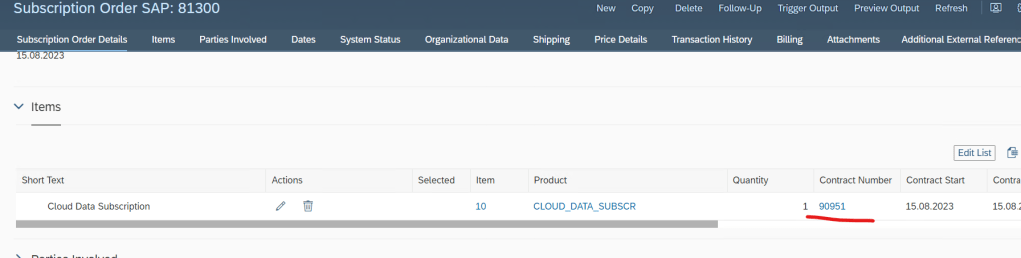
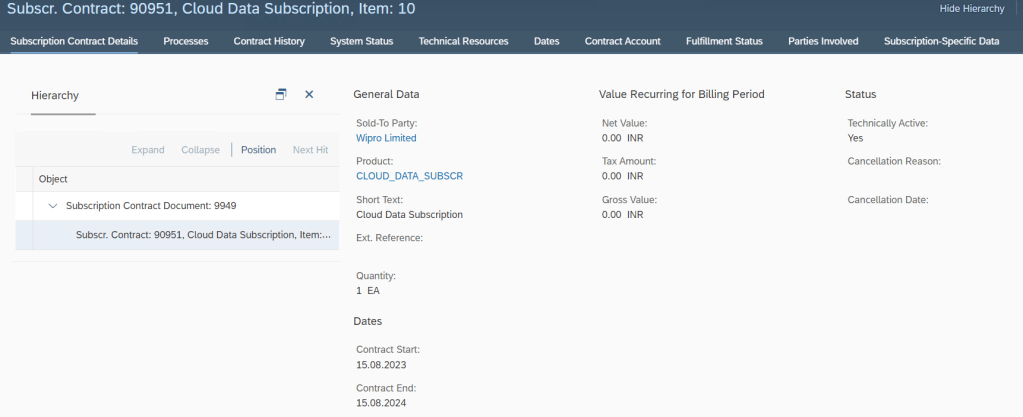
Subscription Contract Details.
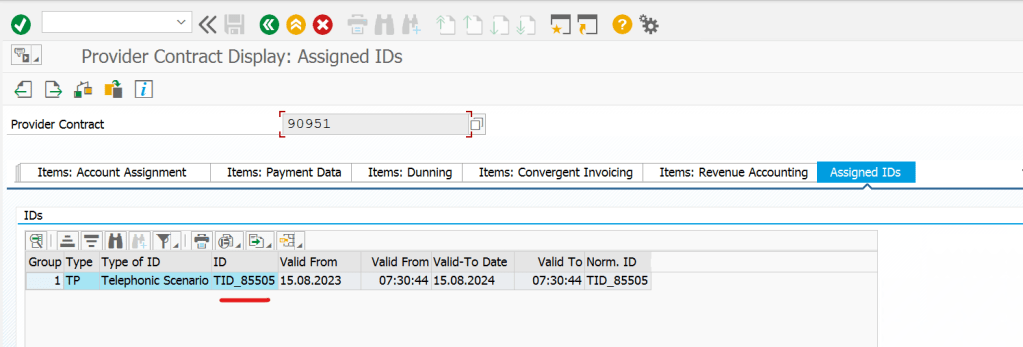
CI provider contract – Assigned IDs tab- We can see the technical resource ID.
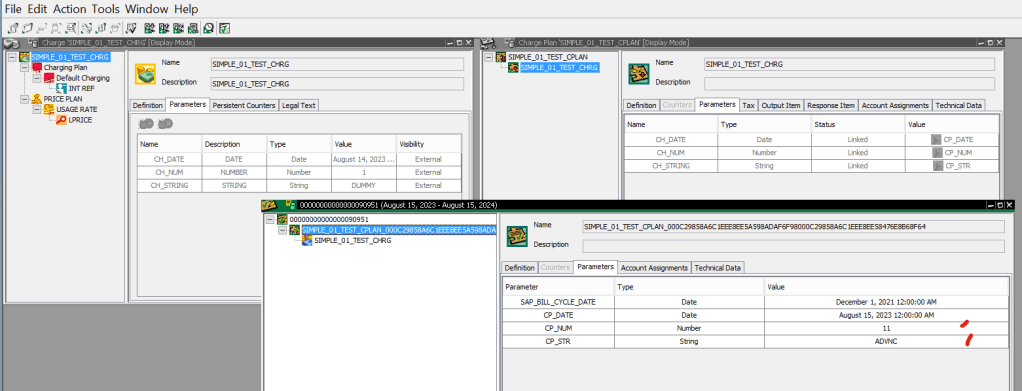
In CC- the charge, charge plan and the contract with assigned charge plan is shown. The charge plan parameter values are filled [ assigned in the subscription order].
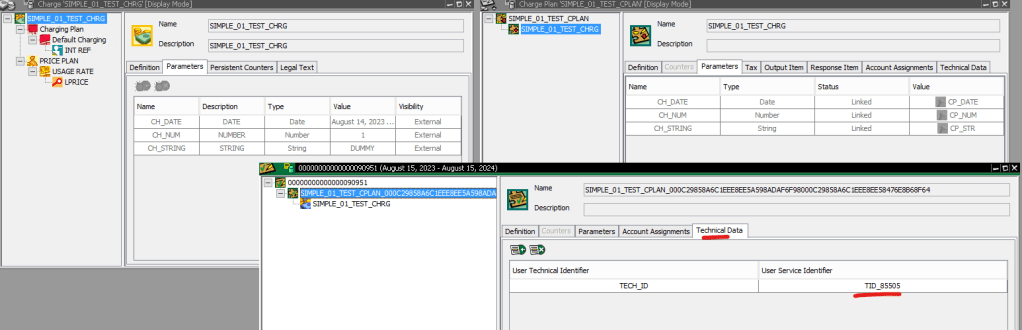
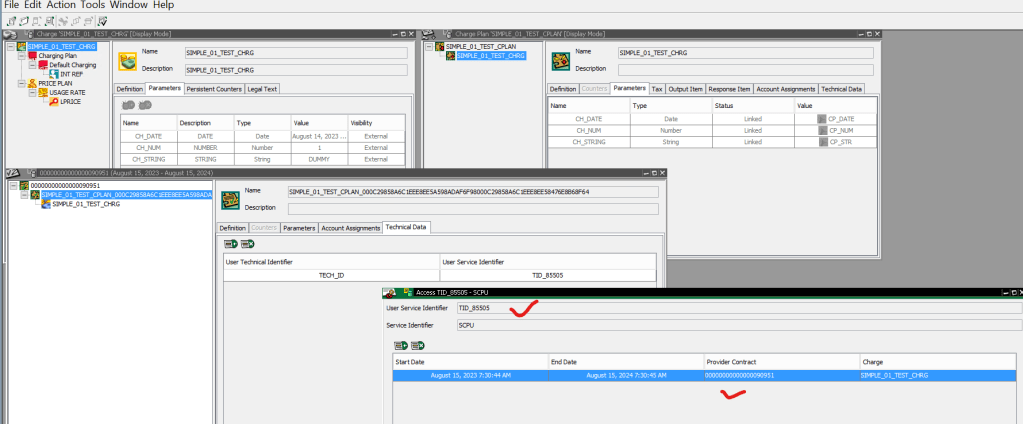
Just note the technical identifier of the contract.
Open Access[ we can use this to read the contract from the technical identifier].
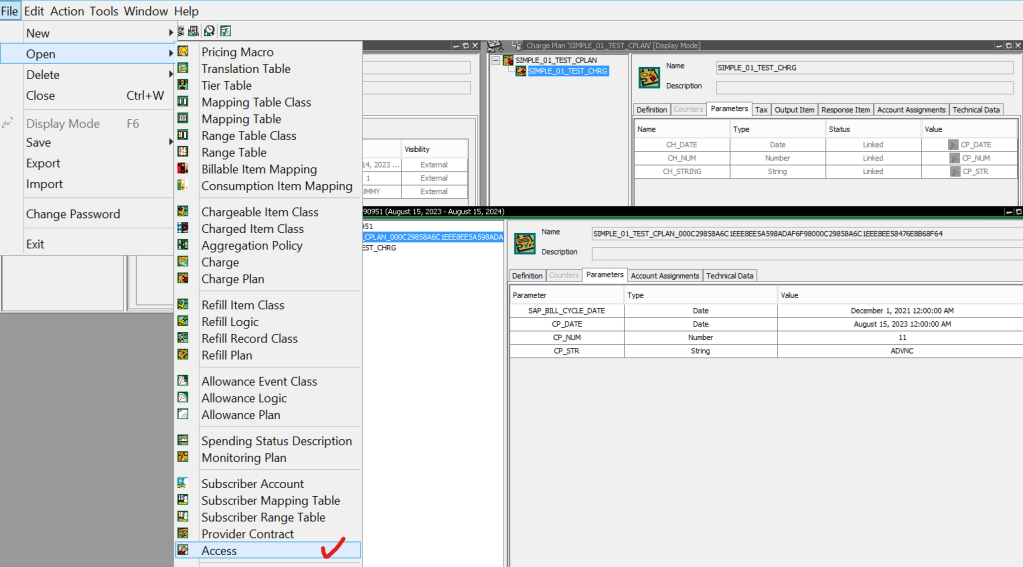
Search with Technical Identifier.
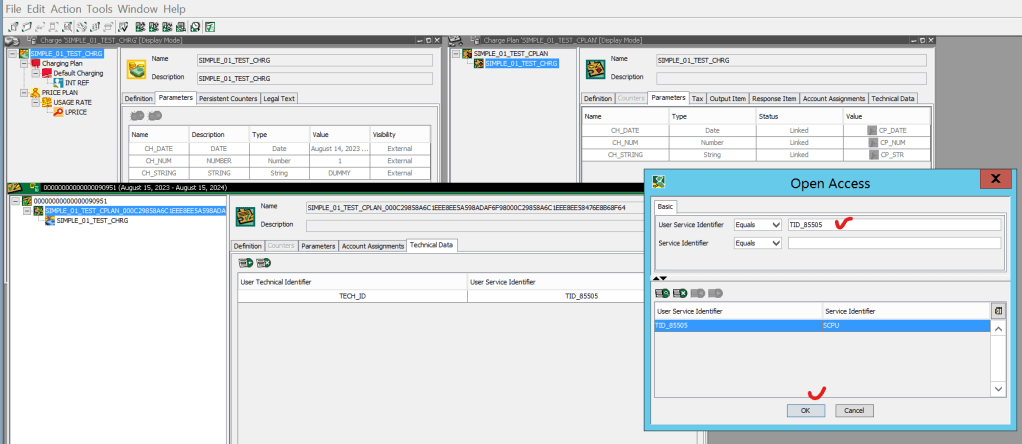
The contract is searched from the tech identifier.
 SAPCODES