The below post shows step by step , on how to create a very basic sales order app. In this part-1 will see how to design the sales order header with sales order number generation and value help for different fields such as Customer, Status, currency etc.
And at last we can see such an app- with Search and List and detailed screen with CRUD operation enabled.

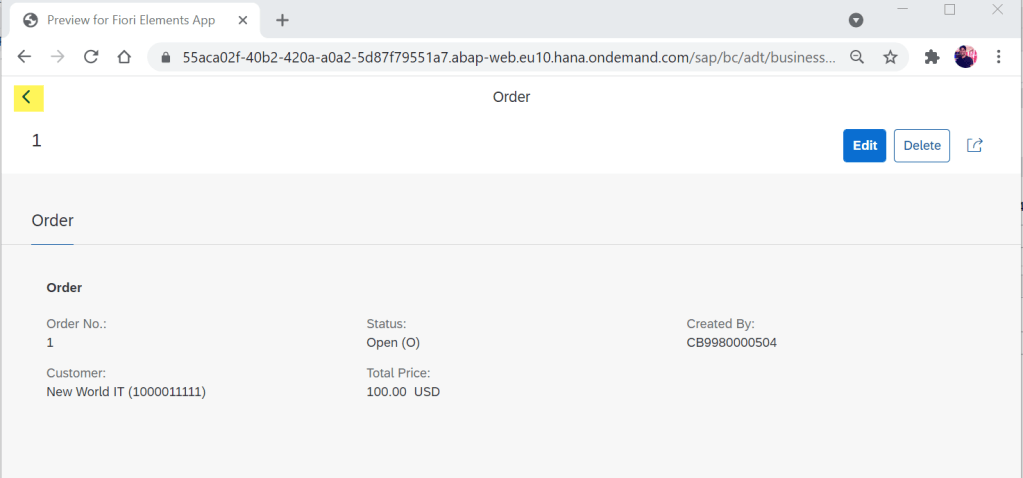
The detailed screen-
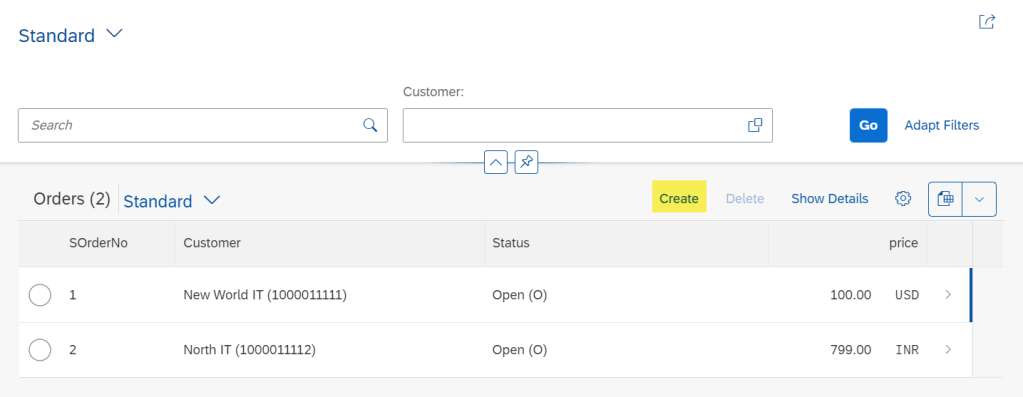
Try Create-
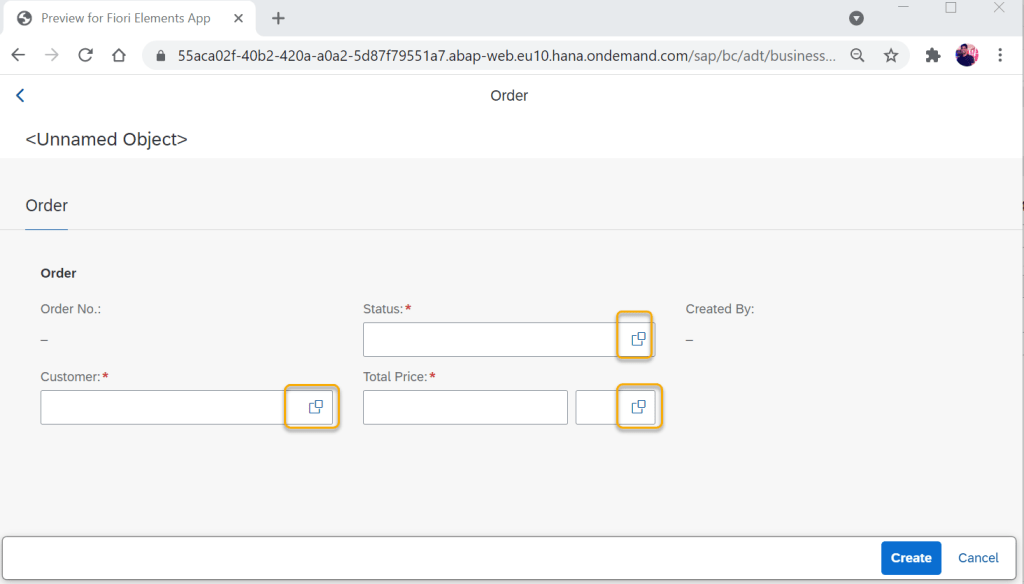
We have few fields for which F4 help is enabled and few others are display fields. Try F4 help-
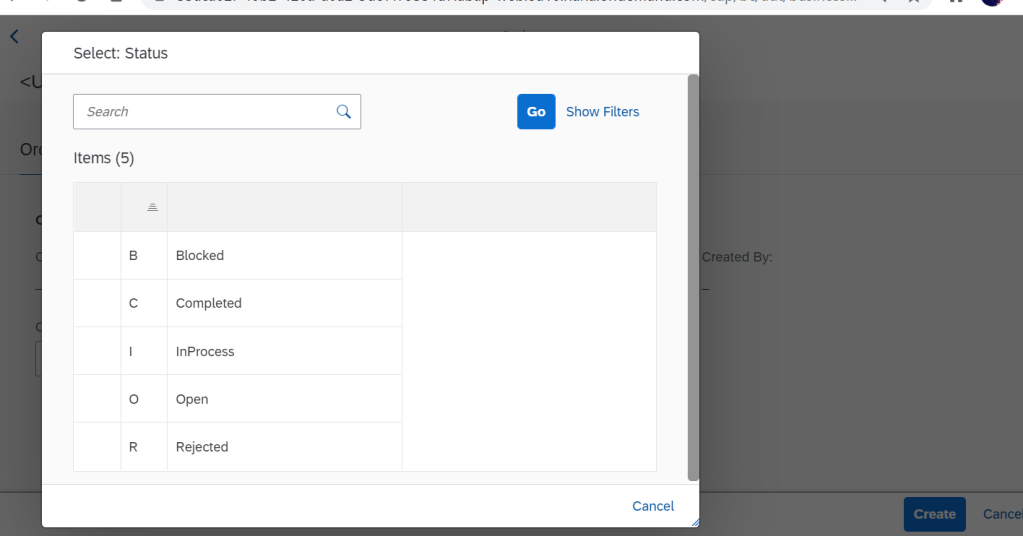
Status- F4 help.
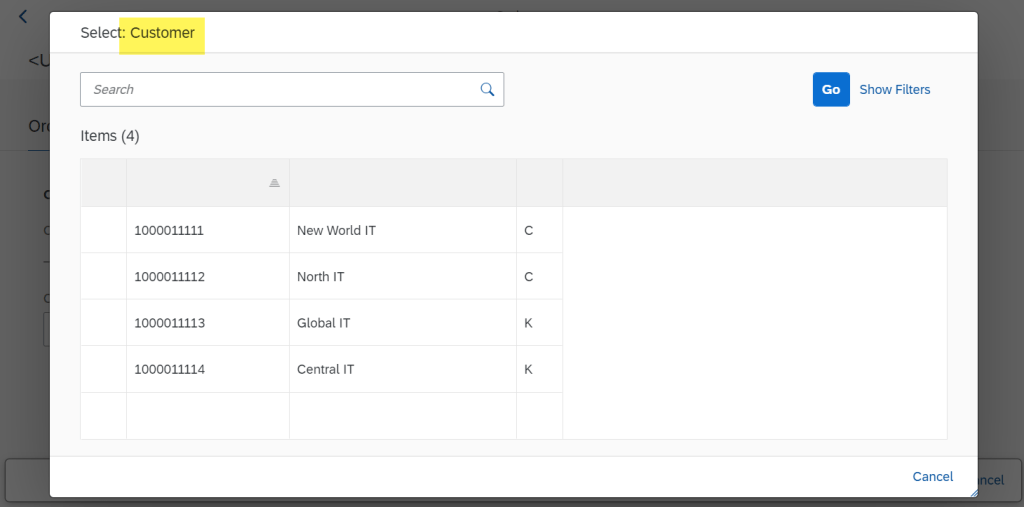
Customer F4 help-
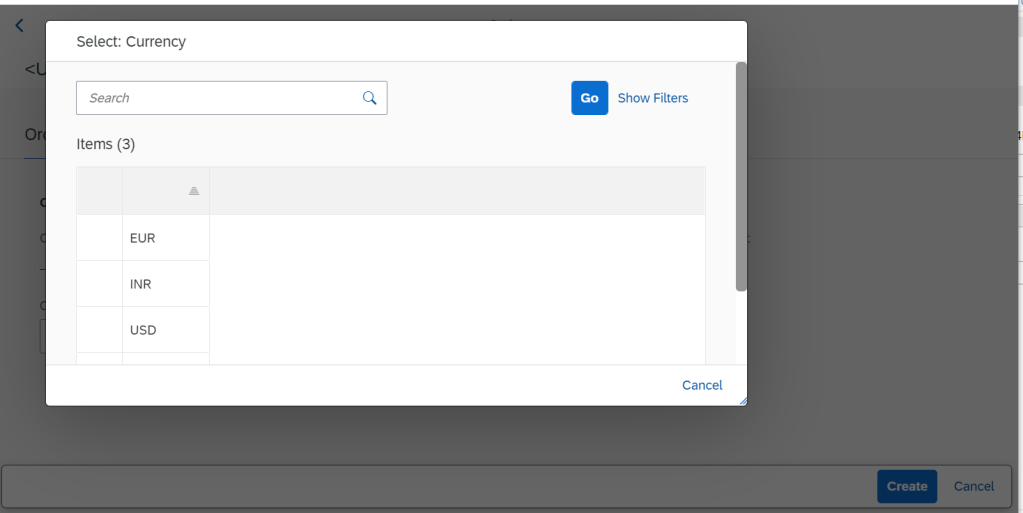
Currency F4 help-
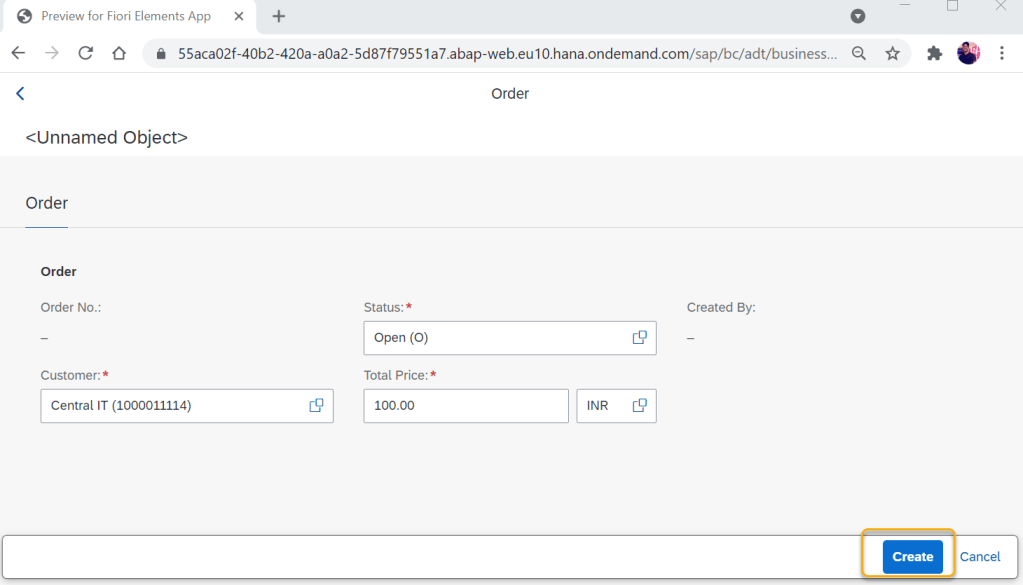
Provide details and click on Create.
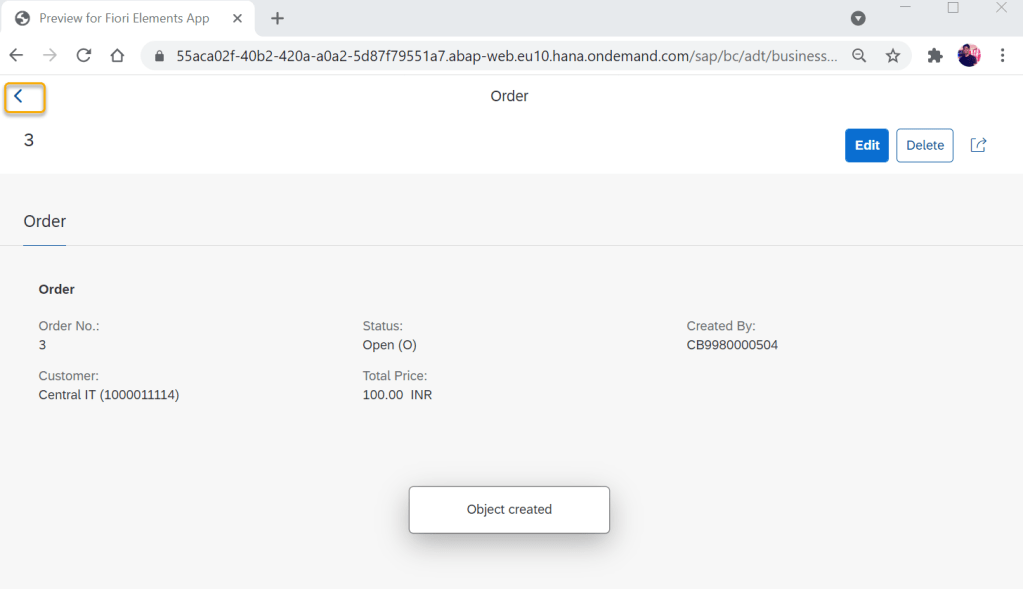
The Sales Order no is auto populated along with created by.
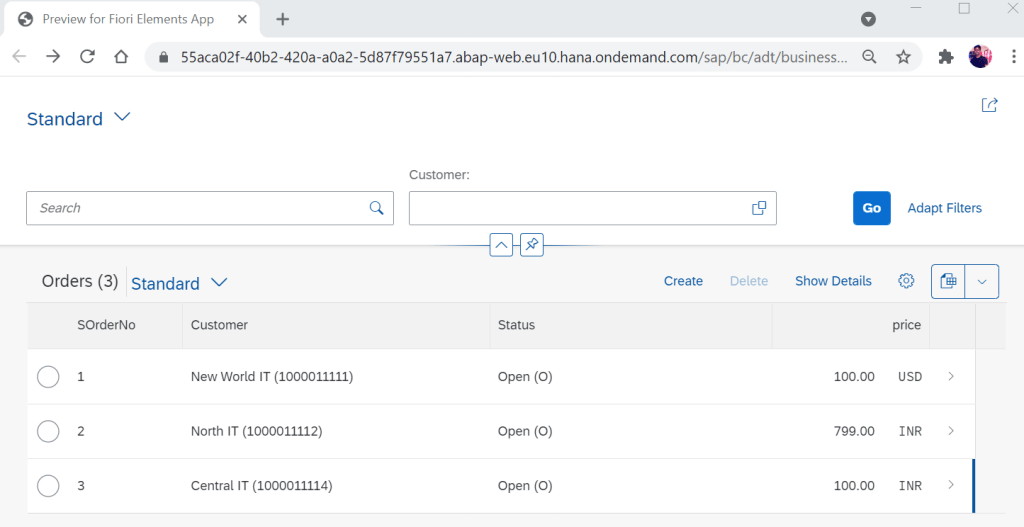
Once we come back from details to the list, the newly created record is also displayed.
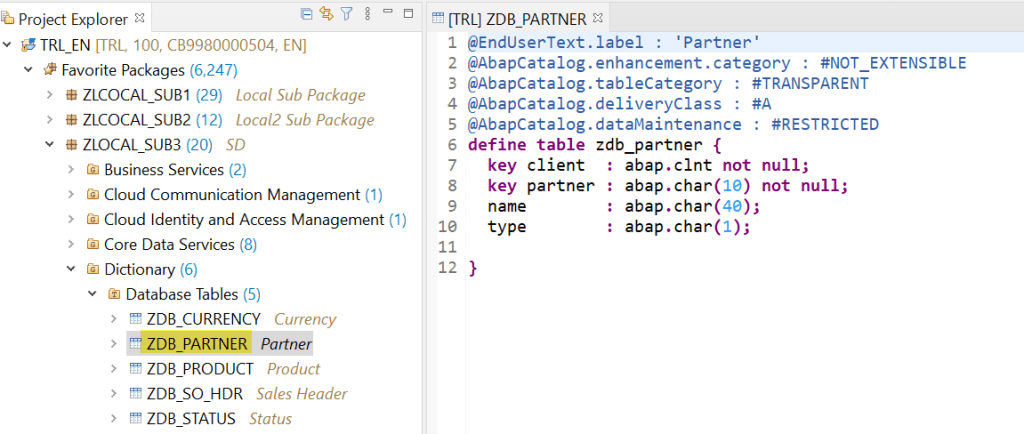
To begin with first let’s create few table that are necessary for our F4 helps- create Partner table.
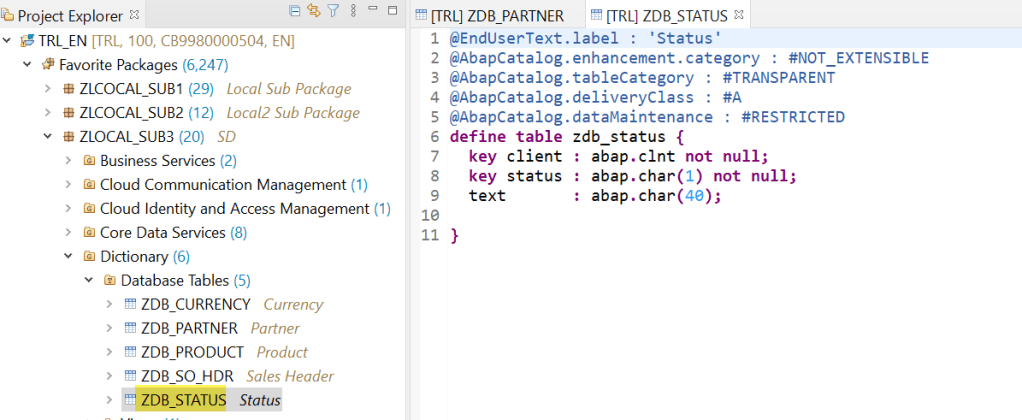
For F4 help- create Status table.
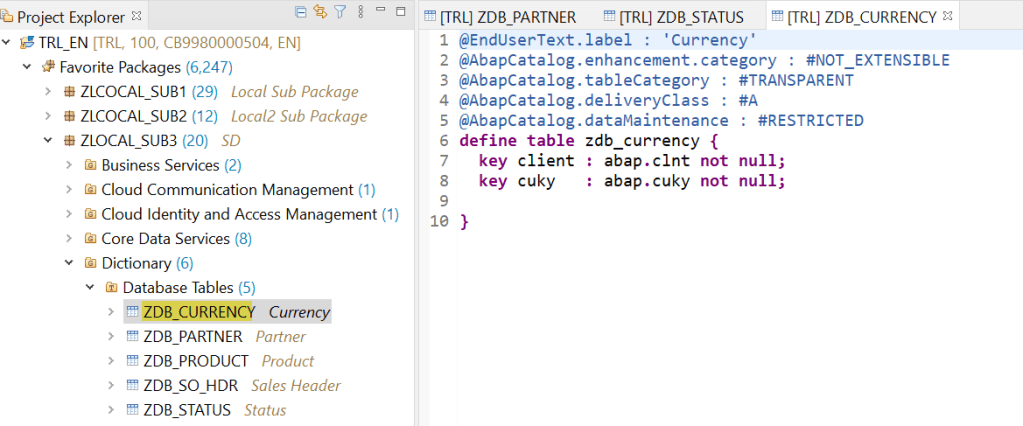
For F4 help- create Currency table.
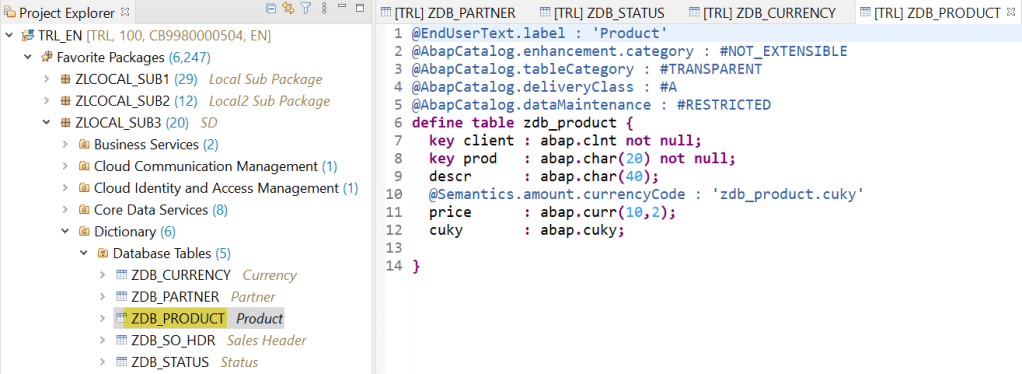
For F4 help- create Product table. [ product is not used in this part-1 ] but later needed.
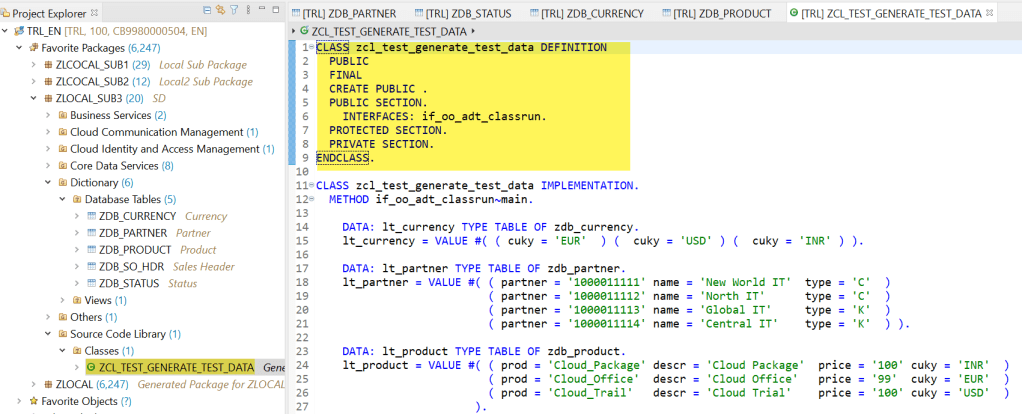
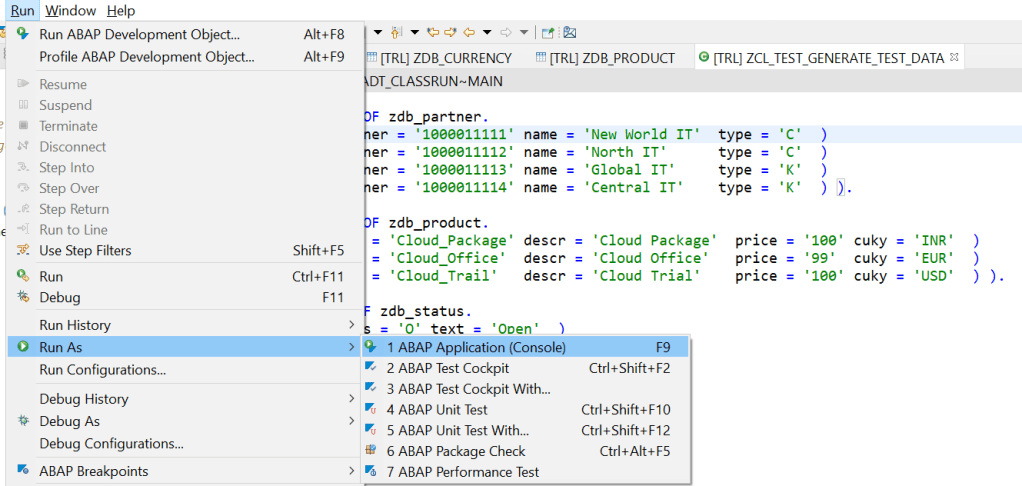
We have a Class and method to insert few records in these tables.
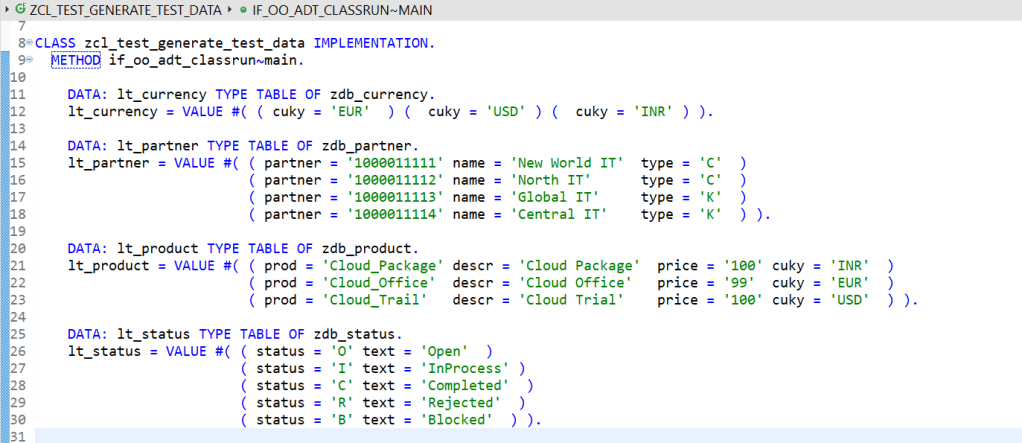
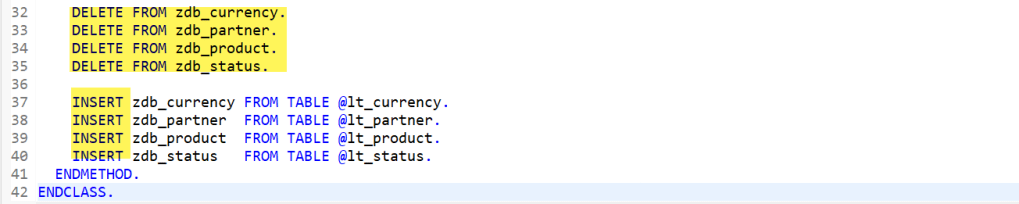
Execute the ABAP console run and records are inserted into these 4 tables.
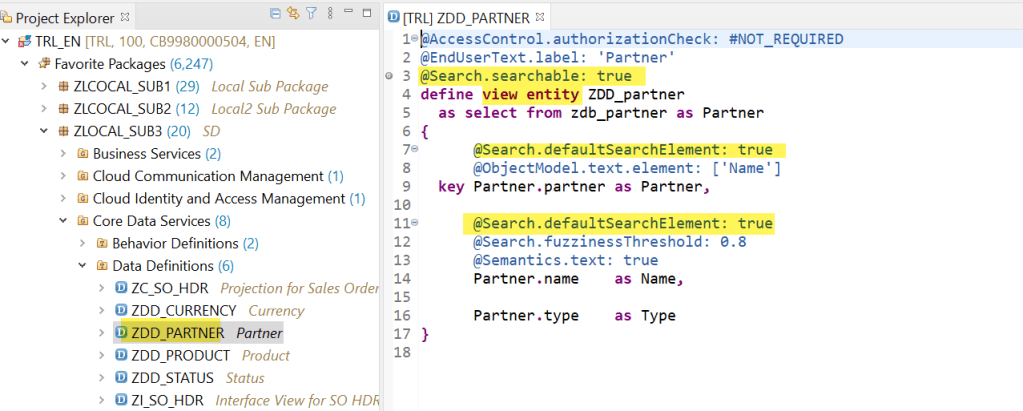
For the F4, lets create View entity for each of the tables created above. Most importantly the search is enabled. View entity for partner/customer.
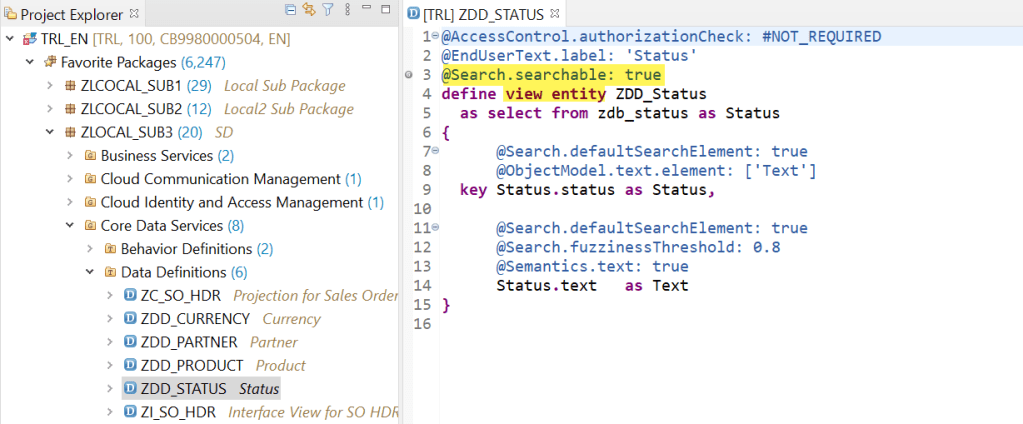
View entity for Status.
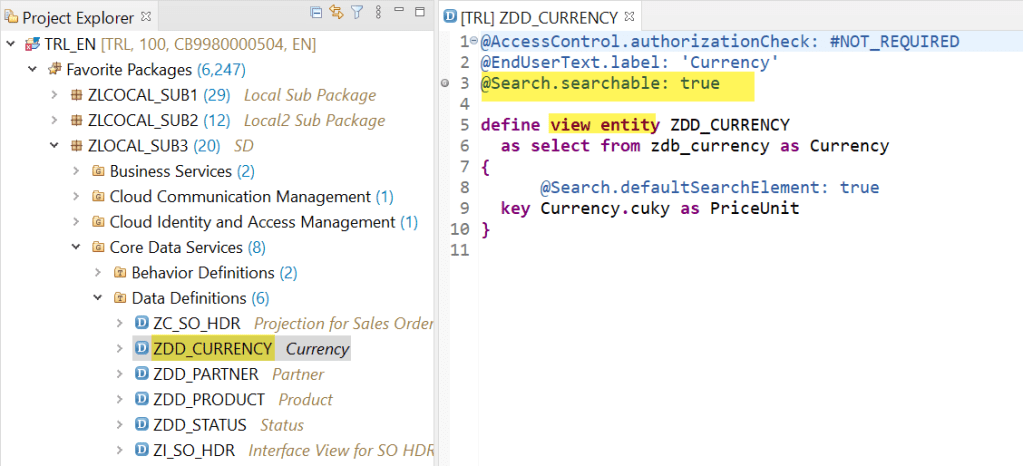
View entity for Currency.
Now here we have the sales order header table-
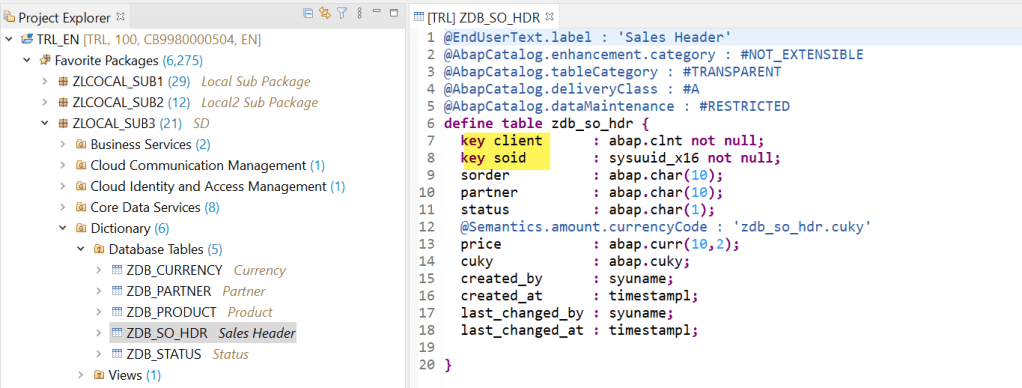
The CDS view for the sales order header table- Mae it ROOT view by adding ROOT keyword in the view and define the association to the partner, status and currency views.
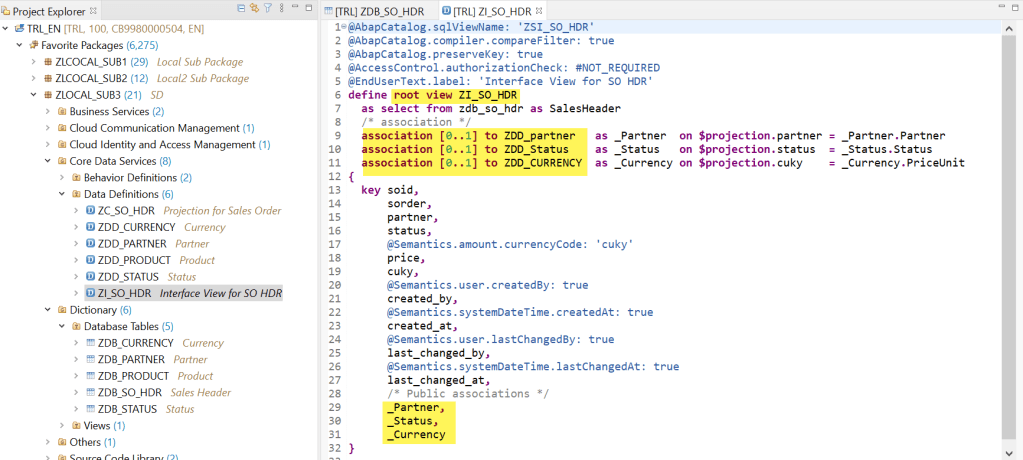
Now create another project view entity on the sales order view-
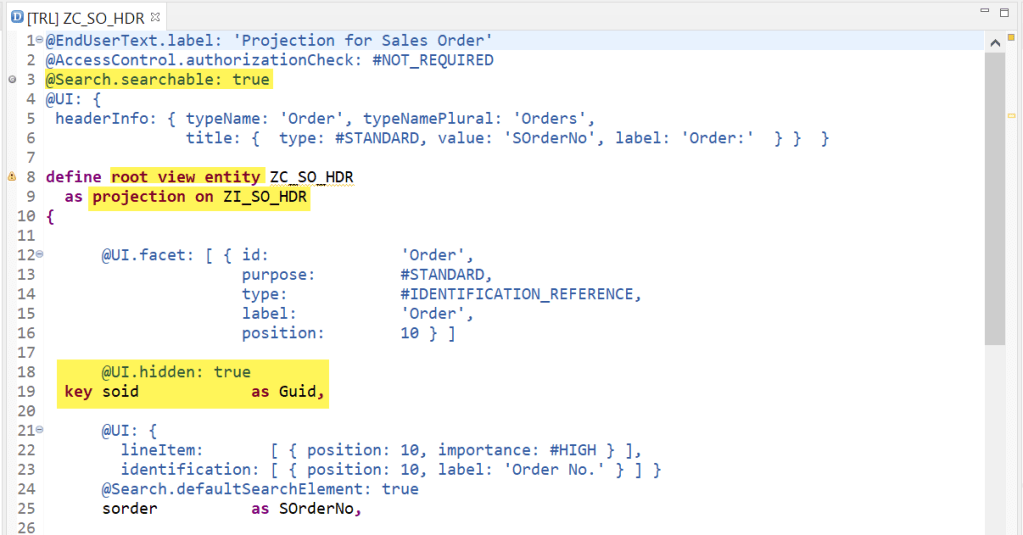
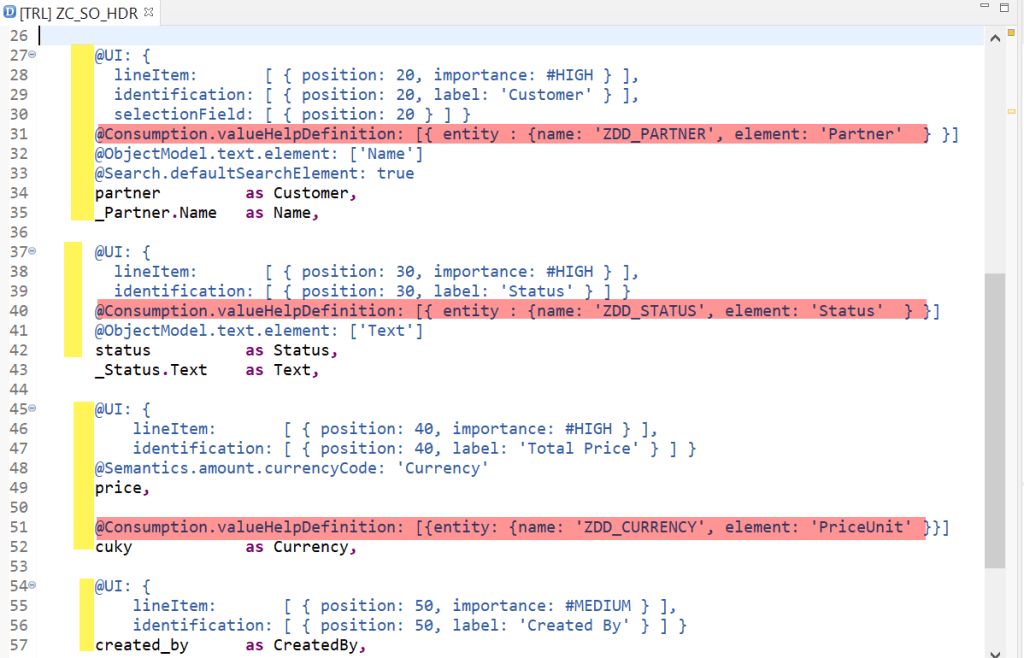

@EndUserText.label: ‘Projection for Sales Order’
@AccessControl.authorizationCheck: #NOT_REQUIRED
@Search.searchable: true
@UI: {
headerInfo: { typeName: ‘Order’, typeNamePlural: ‘Orders’,
title: { type: #STANDARD, value: ‘SOrderNo’, label: ‘Order:’ } } }
define root view entity ZC_SO_HDR
as projection on ZI_SO_HDR
{
  @UI.facet: [ { id:              'Order',
                 purpose:         #STANDARD,
                 type:            #IDENTIFICATION_REFERENCE,
                 label:           'Order',
                 position:        10 } ]

  @UI.hidden: true
key soid as Guid,
  @UI: {
    lineItem:       [ { position: 10, importance: #HIGH } ],
    identification: [ { position: 10, label: 'Order No.' } ] }
  @Search.defaultSearchElement: true
  sorder          as SOrderNo,

  @UI: {
    lineItem:       [ { position: 20, importance: #HIGH } ],
    identification: [ { position: 20, label: 'Customer' } ],
    selectionField: [ { position: 20 } ] }
  @Consumption.valueHelpDefinition: [{ entity : {name: 'ZDD_PARTNER', element: 'Partner'  } }]
  @ObjectModel.text.element: ['Name']
  @Search.defaultSearchElement: true
  partner         as Customer,
  _Partner.Name   as Name,

  @UI: {
    lineItem:       [ { position: 30, importance: #HIGH } ],
    identification: [ { position: 30, label: 'Status' } ] }
  @Consumption.valueHelpDefinition: [{ entity : {name: 'ZDD_STATUS', element: 'Status'  } }]
  @ObjectModel.text.element: ['Text']
  status          as Status,
  _Status.Text    as Text,

  @UI: {
      lineItem:       [ { position: 40, importance: #HIGH } ],
      identification: [ { position: 40, label: 'Total Price' } ] }
  @Semantics.amount.currencyCode: 'Currency'
  price,

  @Consumption.valueHelpDefinition: [{entity: {name: 'ZDD_CURRENCY', element: 'PriceUnit' }}]
  cuky            as Currency,

  @UI: {
      lineItem:       [ { position: 50, importance: #MEDIUM } ],
      identification: [ { position: 50, label: 'Created By' } ] }
  created_by      as CreatedBy,

  @UI.hidden: true
  created_at      as CreatedAt,
  @UI.hidden: true
  last_changed_by as LastChangedBy,
  @UI.hidden: true
  last_changed_at as LastChangedAt
}
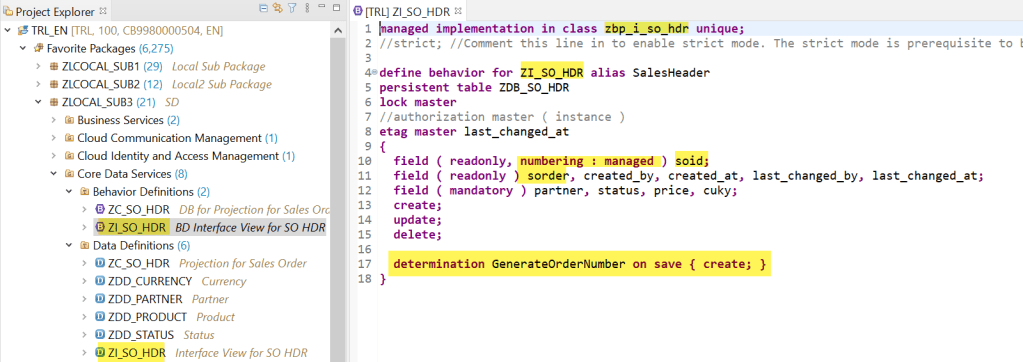
The behavior definition for the root view- Here few fields are marked as readonly and few are mandatory and for SOID field which is a GUID, the number generation is managed means the framework takes create of generating the same. We have also mentioned here one determination “GenerateOrderNumber” which will be triggered during the SAVE of the CREATE process. We also have a behavior implementation class not yet created but will create this class to handle the determination.
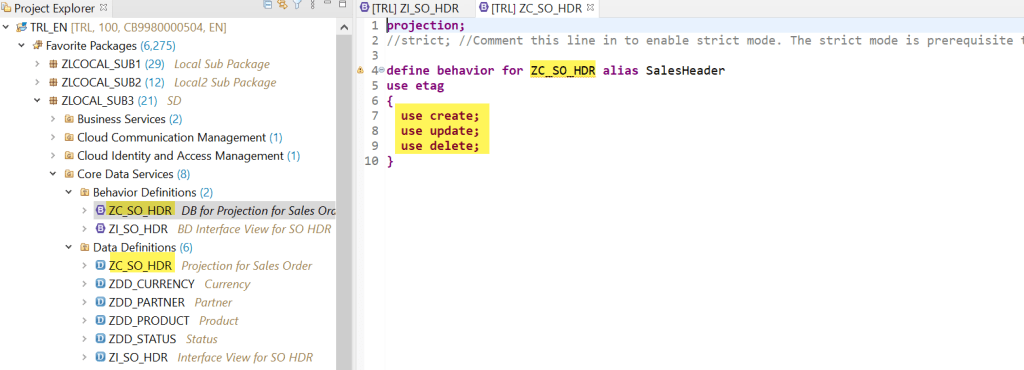
The behavior definition for the projection view-
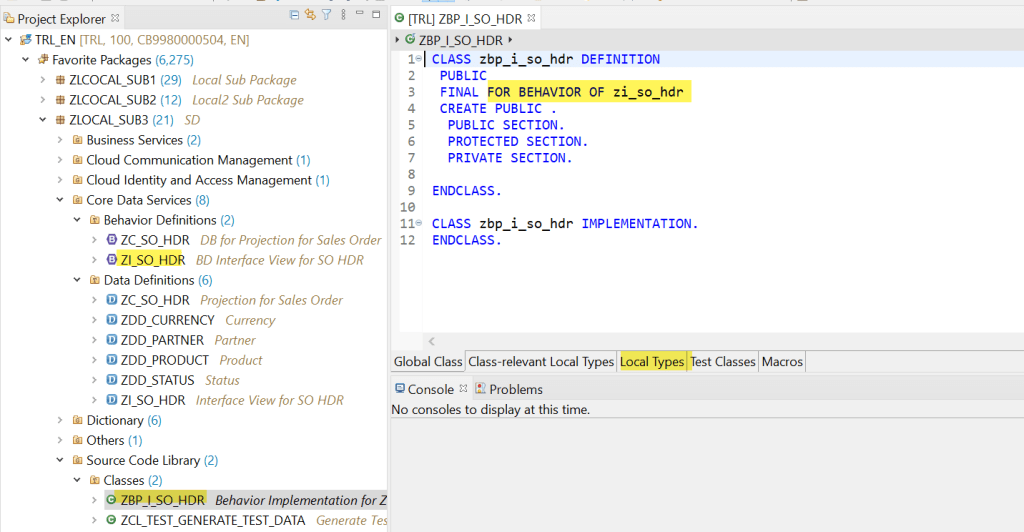
Here we have a class for the behavior definition. Go to the Local Types.
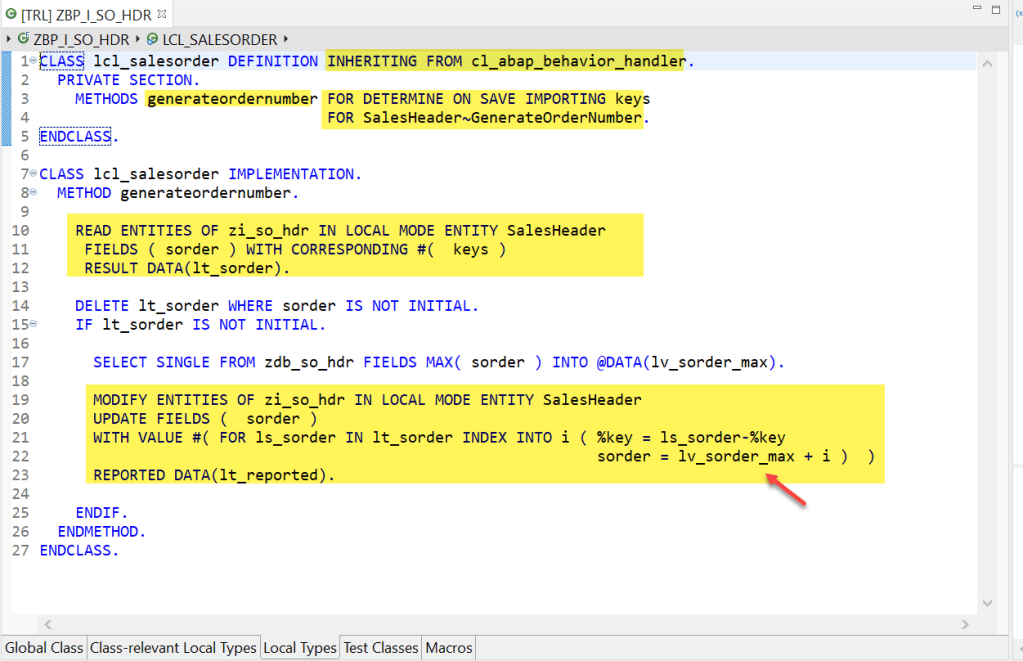
Here we have defined a local class that inherits property from cl_abap_behavior_handler. And we have a method that is called for the Determination mentioned in the view behavior definition.
We do the simple thing here- just read all the entity records with the KEYs and then updating the “sorder” field with the next value. Its basically the number get next functionality.
CLASS lcl_salesorder DEFINITION INHERITING FROM cl_abap_behavior_handler.
PRIVATE SECTION.
METHODS generateordernumber FOR DETERMINE ON SAVE IMPORTING keys
FOR SalesHeader~GenerateOrderNumber.
ENDCLASS.
CLASS lcl_salesorder IMPLEMENTATION.
METHOD generateordernumber.
READ ENTITIES OF zi_so_hdr IN LOCAL MODE ENTITY SalesHeader
 FIELDS ( sorder ) WITH CORRESPONDING #(  keys )
 RESULT DATA(lt_sorder).

DELETE lt_sorder WHERE sorder IS NOT INITIAL.
IF lt_sorder IS NOT INITIAL.

  SELECT SINGLE FROM zdb_so_hdr FIELDS MAX( sorder ) INTO @DATA(lv_sorder_max).

  MODIFY ENTITIES OF zi_so_hdr IN LOCAL MODE ENTITY SalesHeader
  UPDATE FIELDS (  sorder )
  WITH VALUE #( FOR ls_sorder IN lt_sorder INDEX INTO i ( %key = ls_sorder-%key
                                                          sorder = lv_sorder_max + i )  )
  REPORTED DATA(lt_reported).

ENDIF.
ENDMETHOD.
ENDCLASS.
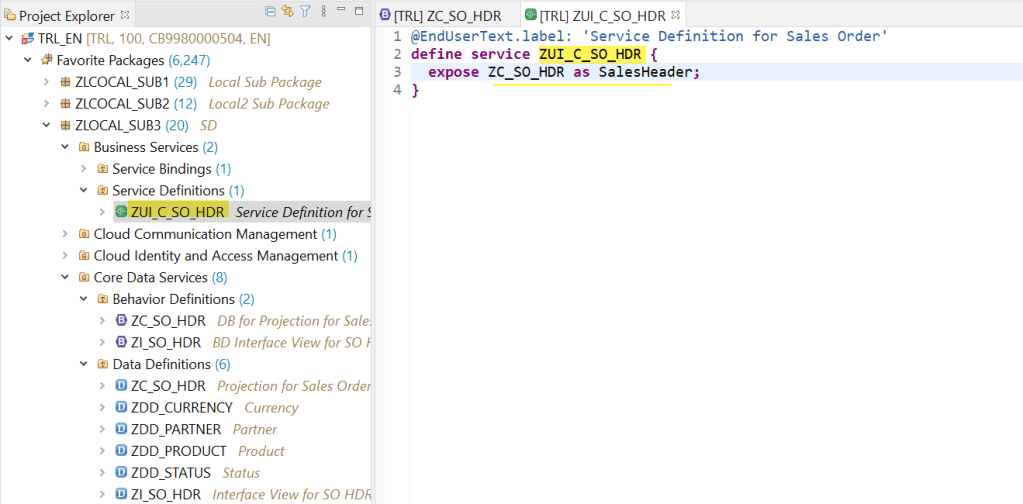
The service definition-
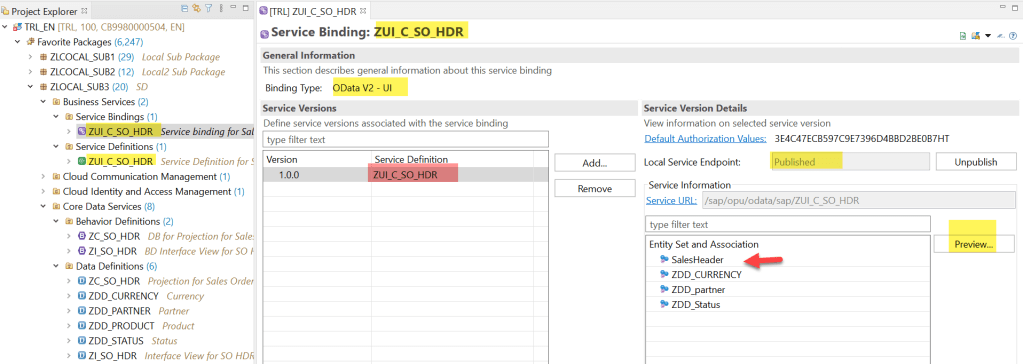
the service binding-. Select the Entity and do the preview-
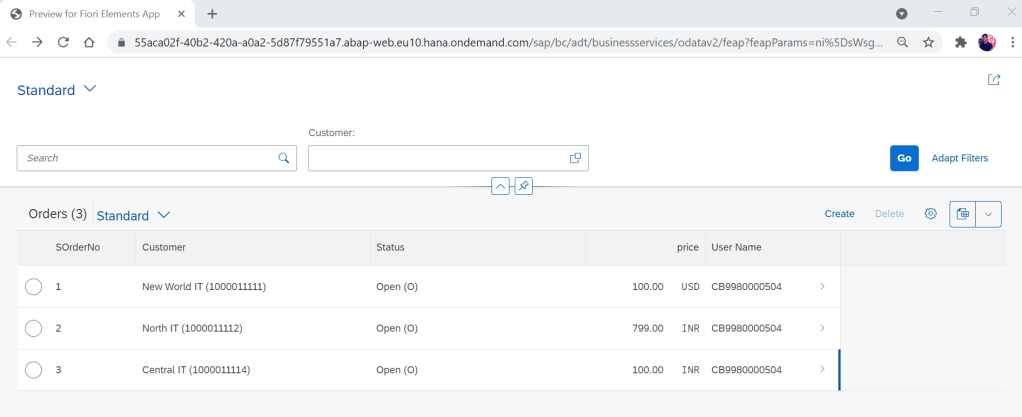
The app-
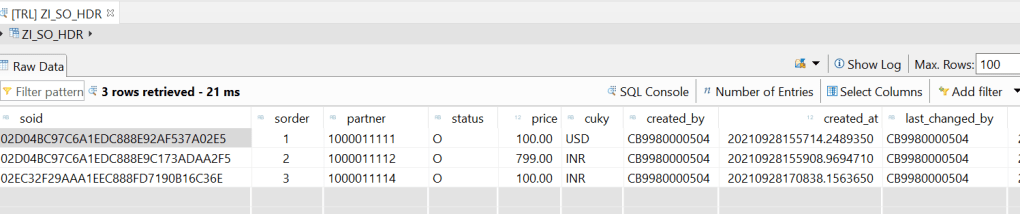
The DB of sales order header records-
 SAPCODES
In Unmanaged scenario , while triggerin save method should we call bapi to create sales order , so it can be useful for more scenarios??
LikeLike
🌟🌟🌟 HUGE THANK YOU & CONGRATULATIONS! 🌟🌟🌟
🎉 I’m thrilled to share my immense appreciation for the incredible effort, clarity, and structure behind the Sales Order App project on SAP HANA! 🚀
This project is a game-changer for ABAP and HANA learners — whether you’re a beginner or brushing up advanced skills, this project takes you step-by-step through:
✅ Clean and well-structured CDS views
✅ Logical use of associations for partner, status, and currency
✅ Proper annotations for semantics and best practices
✅ Real-time business context with Sales Order Header integration
✅ Clear mapping from database tables to UI-ready interface views
It not only enhances technical knowledge but also builds confidence to work in real-world SAP S/4HANA environments. The modular approach, meaningful naming conventions, and depth of coverage truly reflect expert-level design.
👏 Kudos to the entire development and tutorial team behind this — you’re building the future of SAP HANA-driven intelligent applications.
🔥 This app is a masterclass in ABAP RESTful Programming and SAP HANA modeling. Proud to be learning from it!
💯 Highly recommended to every aspiring SAP ABAP on HANA developer!
LikeLike