Go to Tx- VA01 and try to create a sales order of type OR.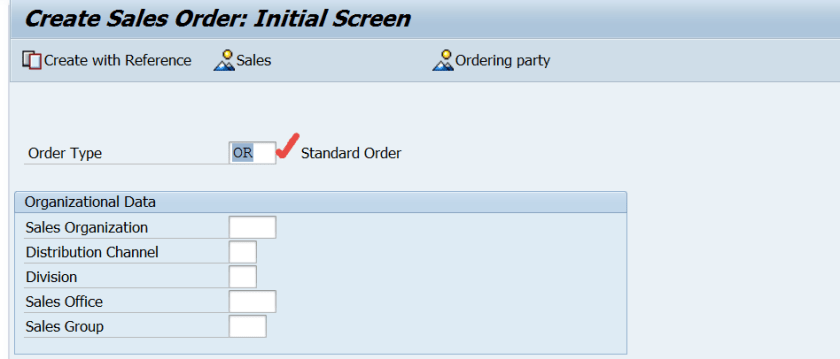
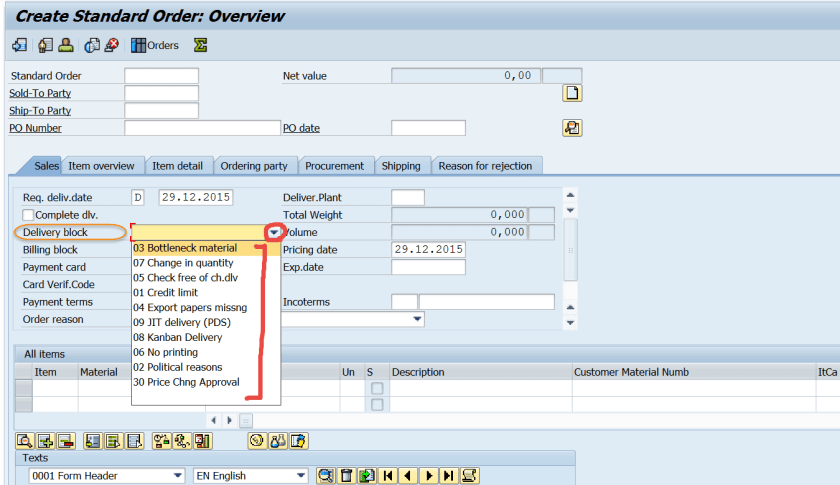
From the delivery block option – there are several delivery block reasons are available. Now we have to create a new delivery block reason.
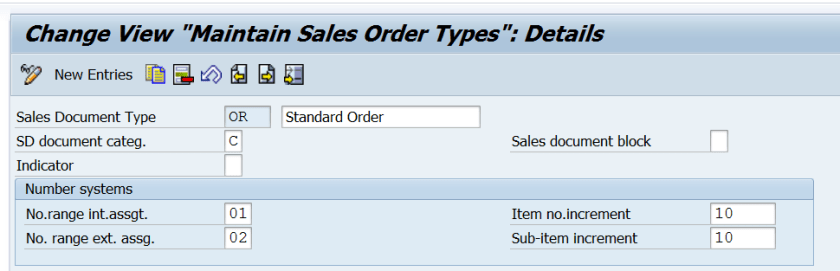
Go to Tx- VOV8 and check the sales order type – OR. Get the delivery type for the order type – OR. So the delivery type is – LF

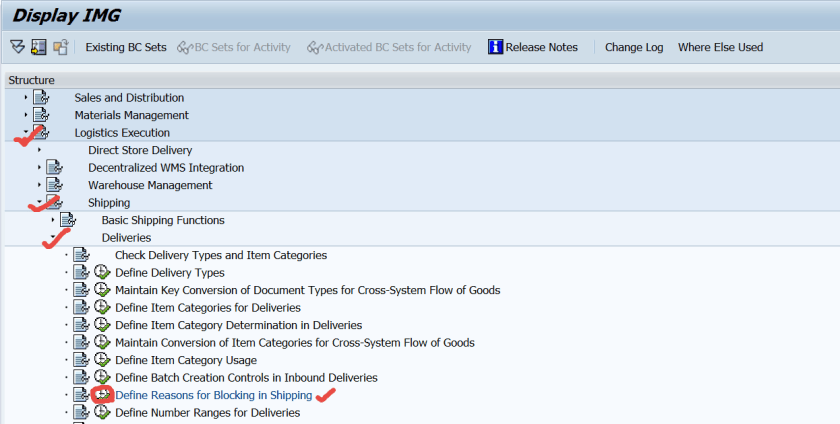
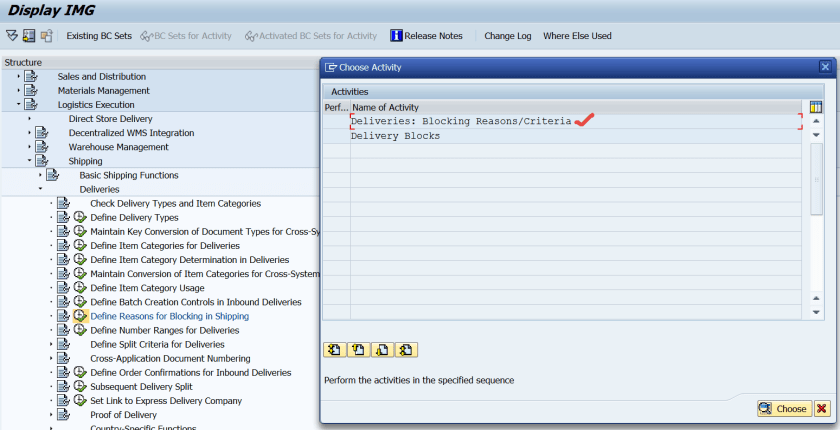
Go to Tx- SPRO and navigate along the highlighted path to create a new delivery block reason.
Double click on the first option.
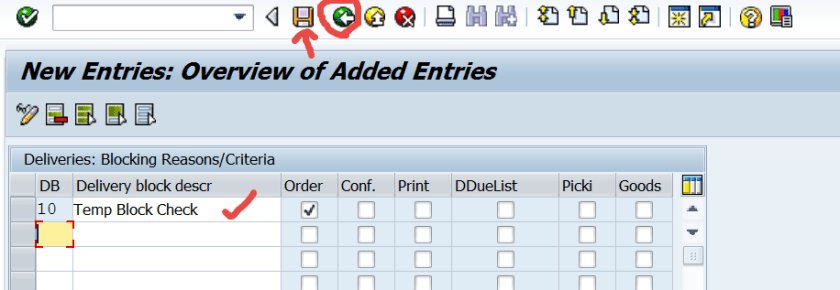
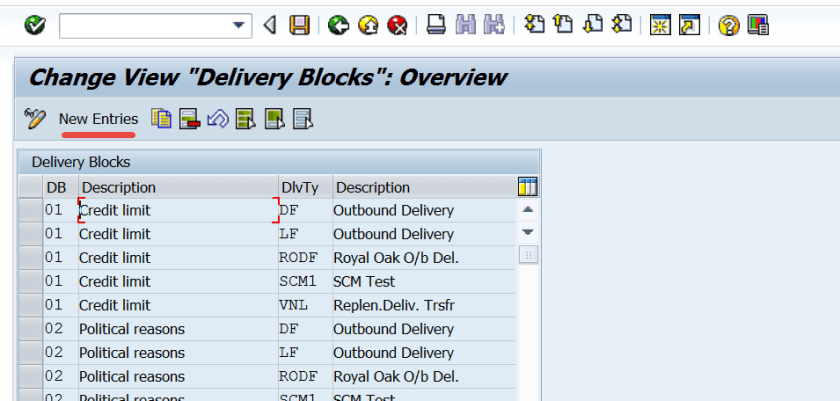
Click on New Entries.

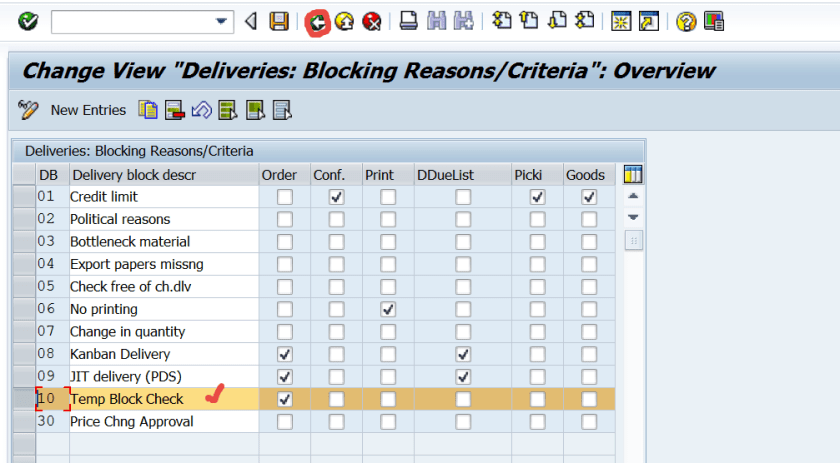
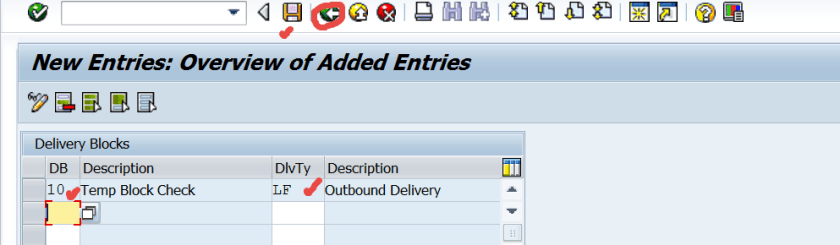
Create a new block reason . Save and go back.
Now double click on the second option.
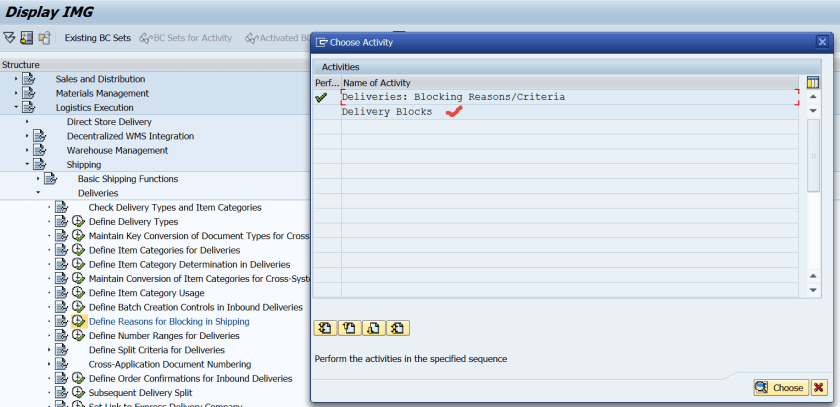
Click on new entries.
Assign the delivery block reason-10 which is defined the previous step to the delivery type LF. Save and go back.

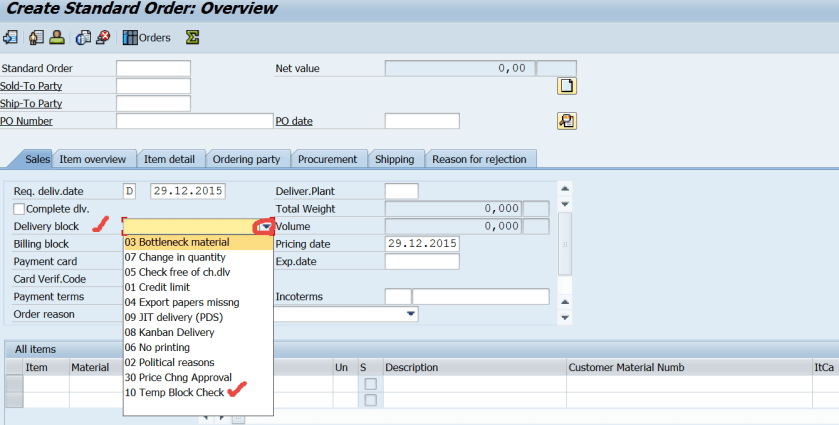
Create a sales order of type – oR and here we can see the new delivery block reason.
 SAPCODES