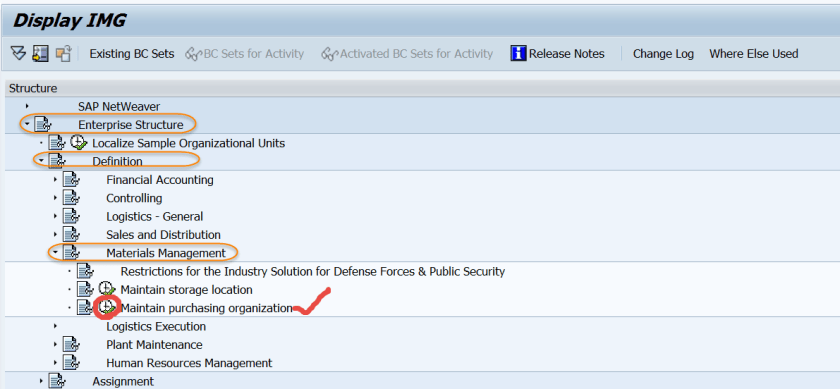
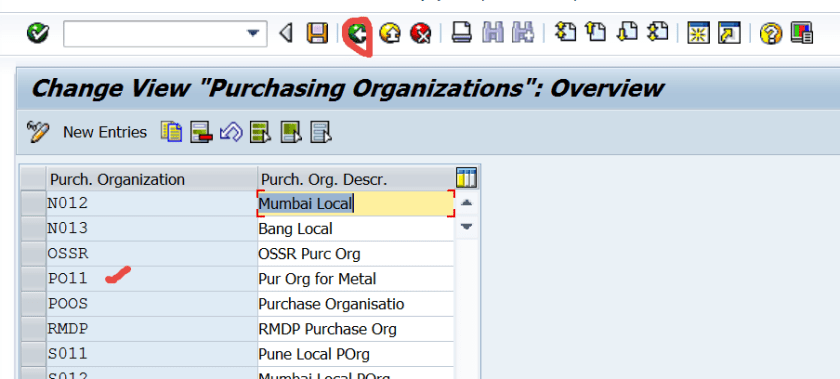
Go to Tx- SPRO and navigate along the highlighted path to create a purchase org.
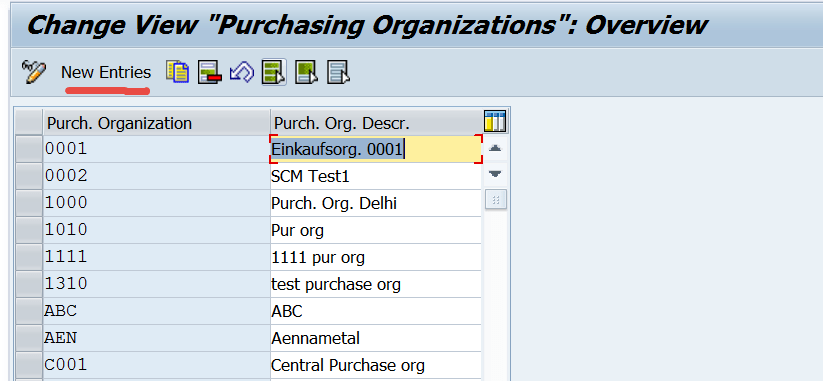
Click on New Entries button.
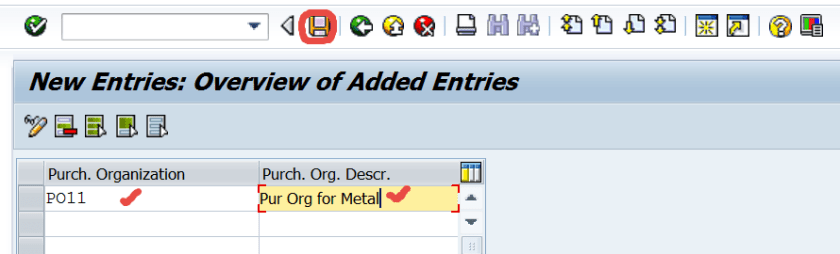
Provide a purchase org and description and Save it.
Go Back.
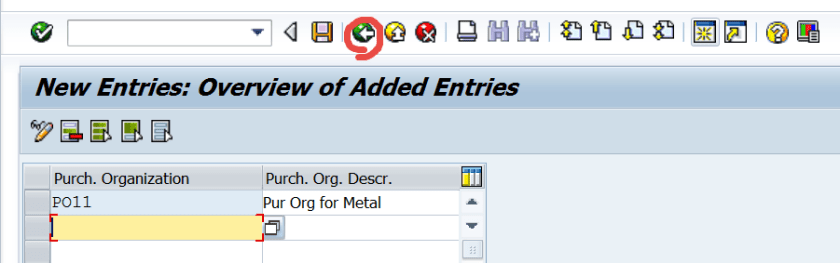
Now a new purchase org is created.
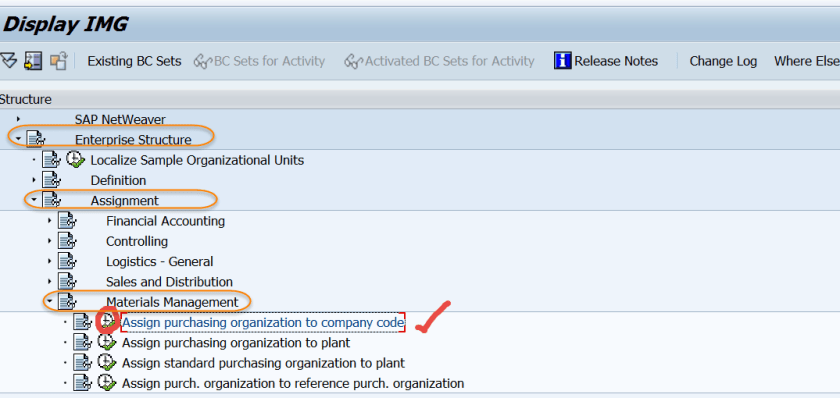
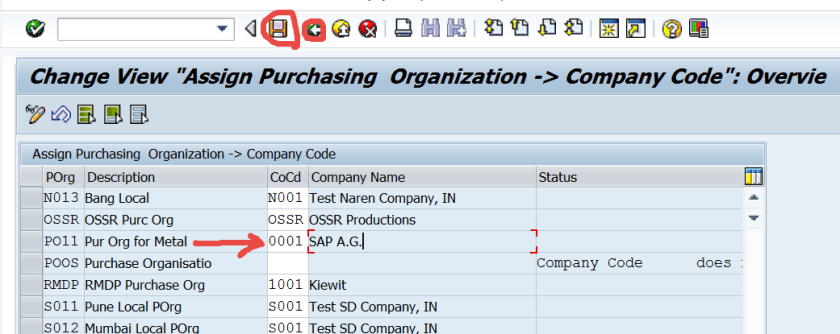
Let’s assign the purchase org to the company code. Navigate along the path.
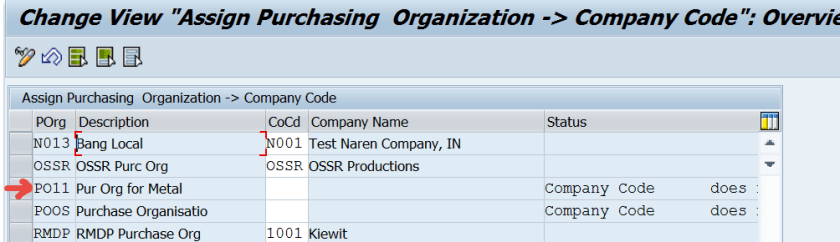
So here we have the purchase org and not assigned to any company code.
Press F4 button and from the list of company code, select the company code needed to be assigned to the purchase org.
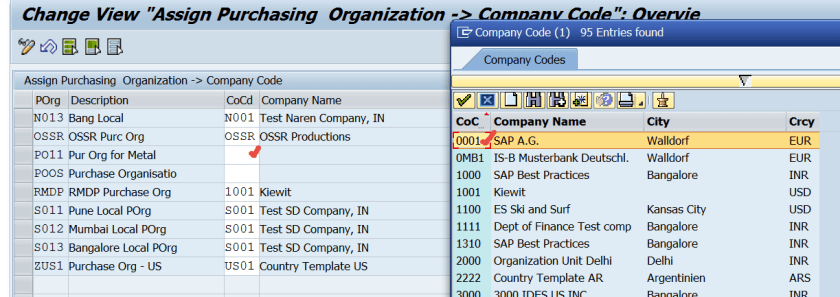
Save the changes.
 SAPCODES