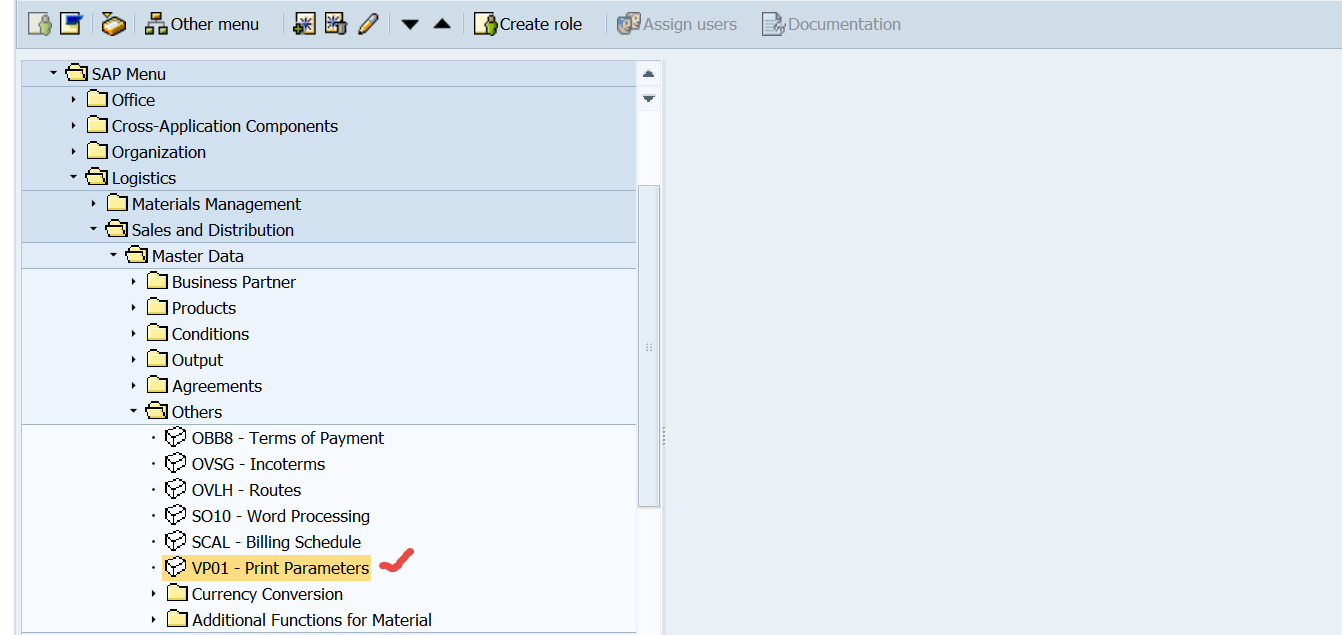
To Set print parameters go to the Tx- VP01.
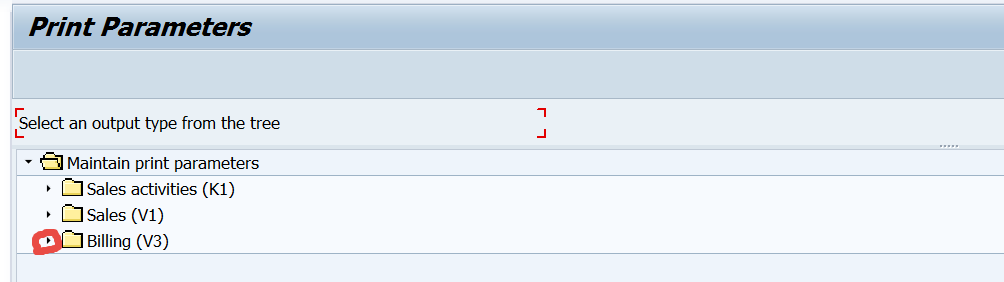
Select the area. Here lets select Billing.
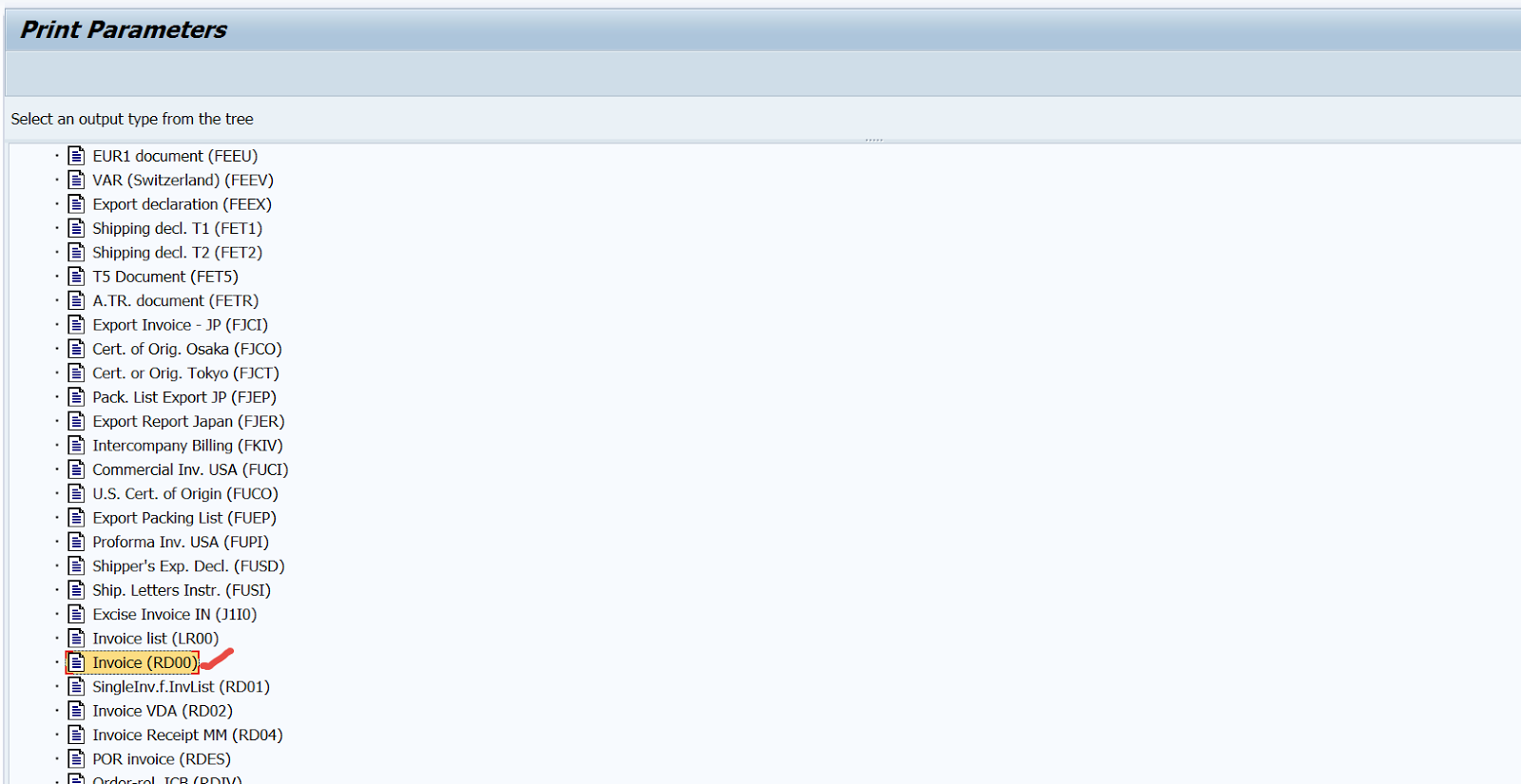
Select the output condition type.
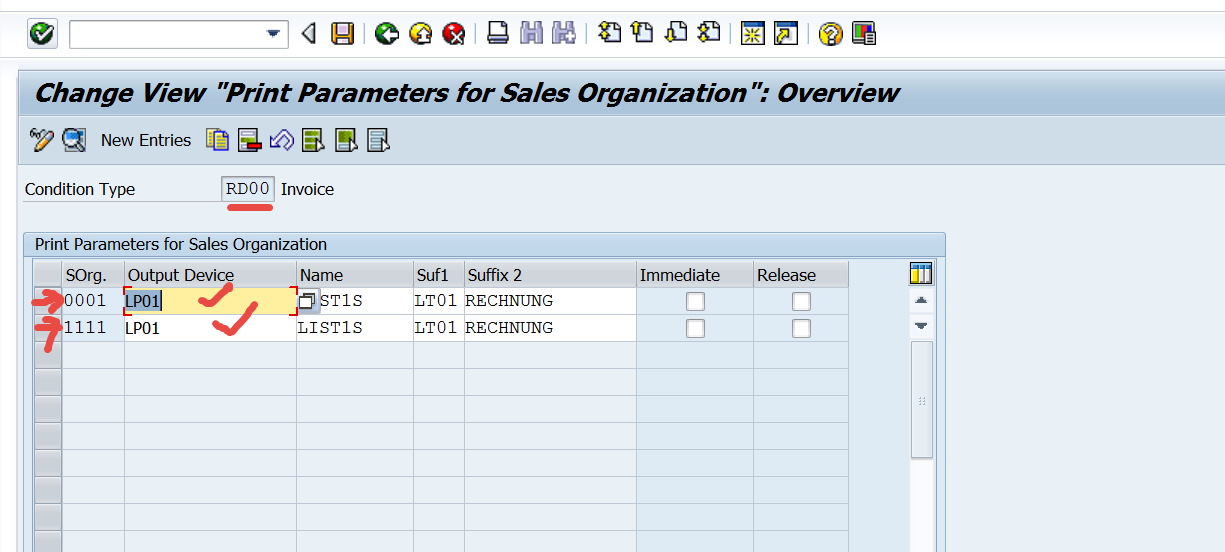
Maintain the output device for each sales organization.
To Set print parameters go to the Tx- VP01.
Select the area. Here lets select Billing.
Select the output condition type.
Maintain the output device for each sales organization.
 SAPCODES