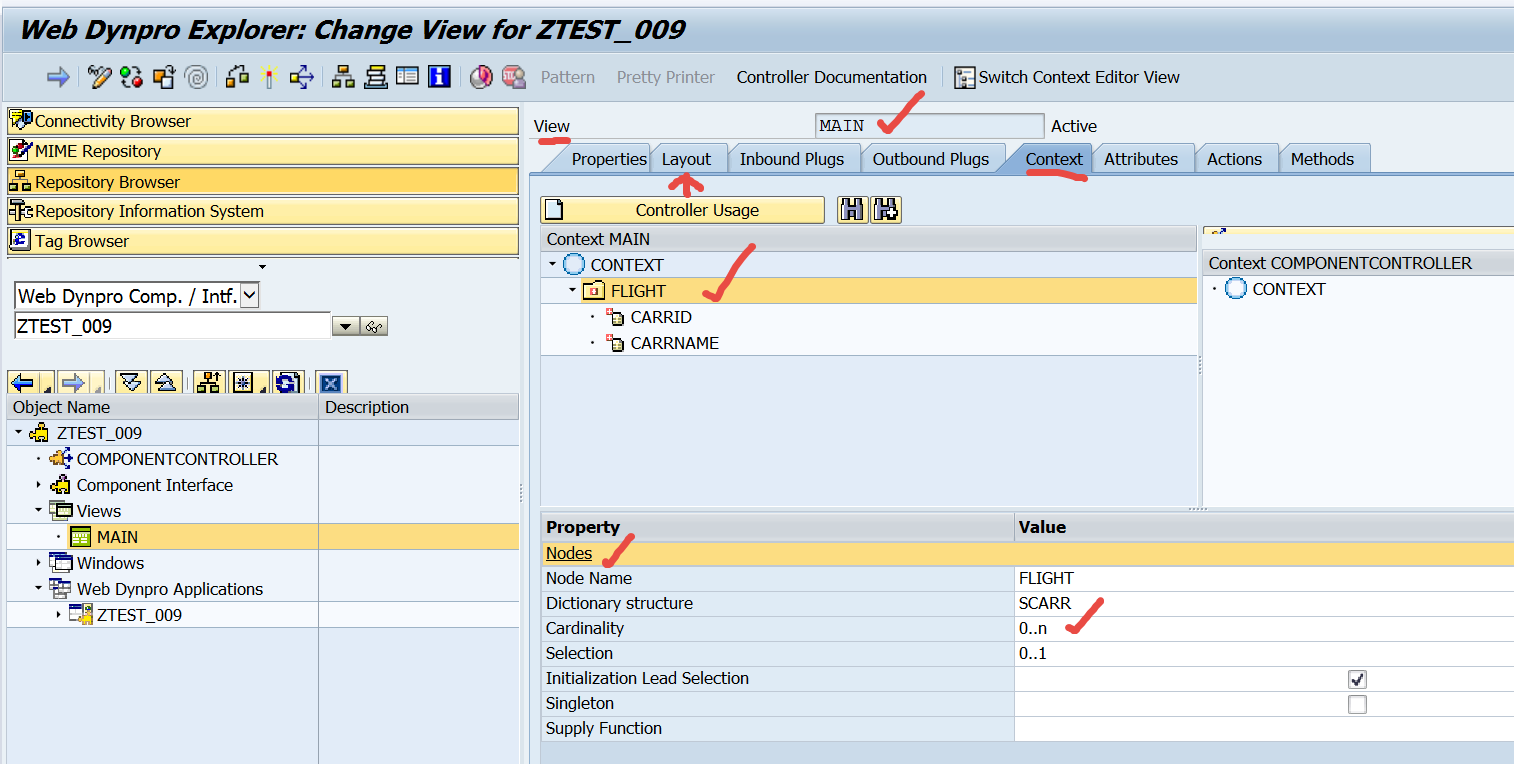
Create a web dynpro component and add a context node and attributes as shown below.
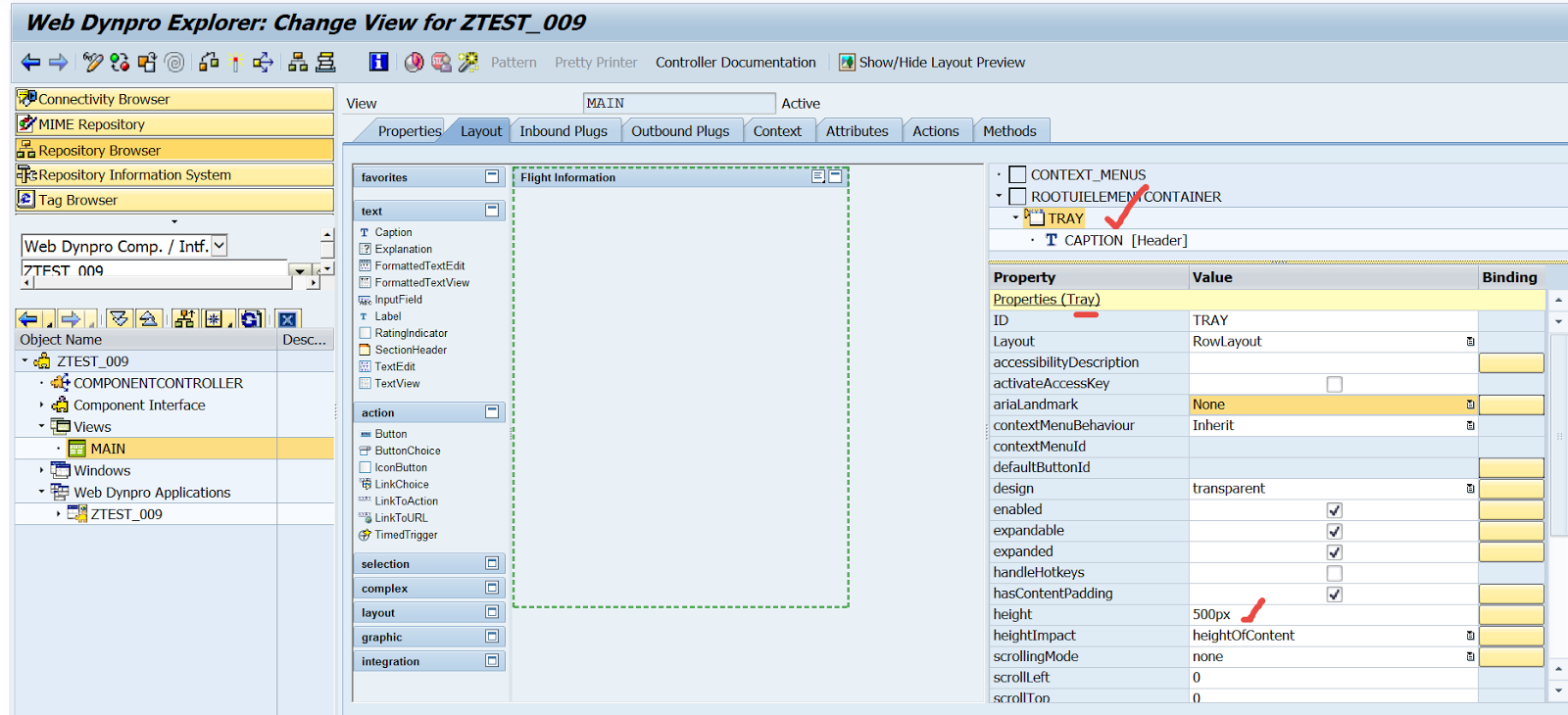
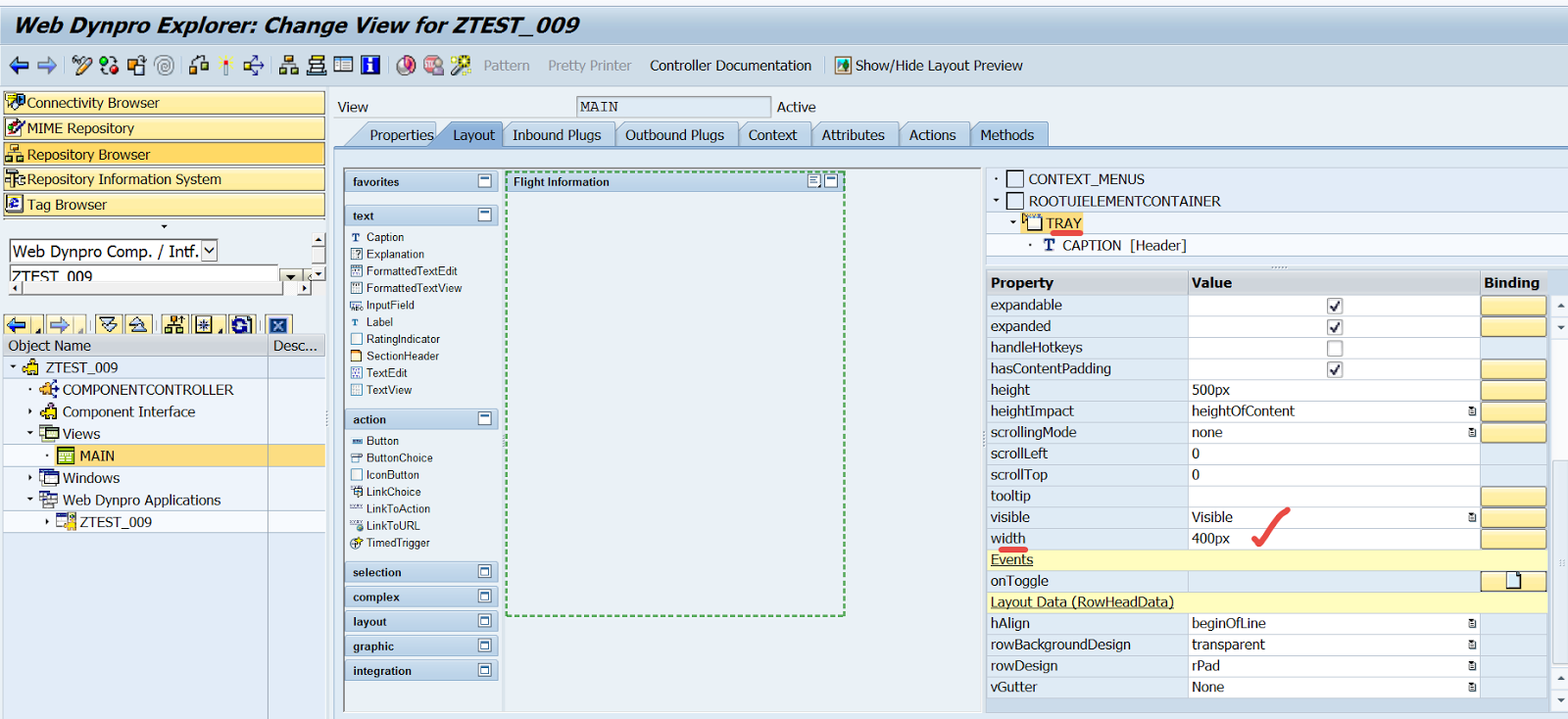
On the view layout add a Tray and provide Height and Width. Provide the Tray caption as ‘Flight Information’.
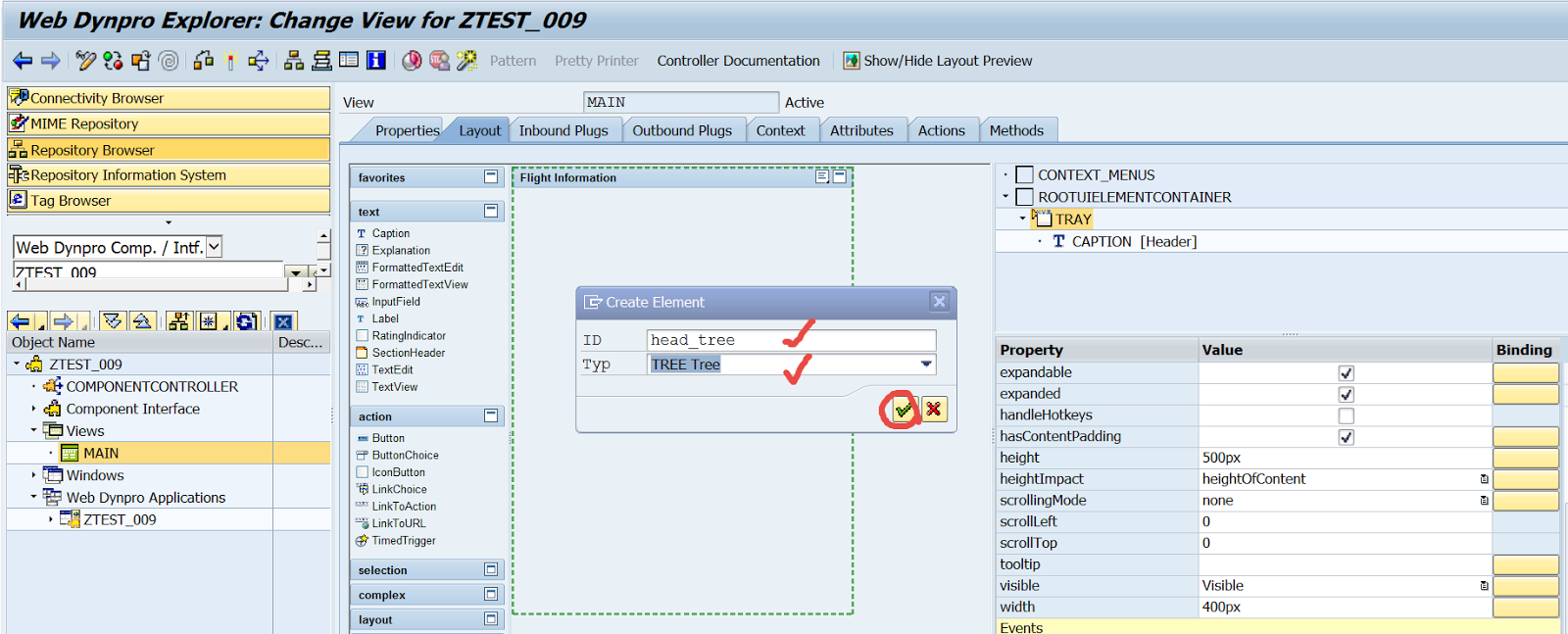
In the Tray, Add a TREE UI element.
Maintain the binding and root text and a title.

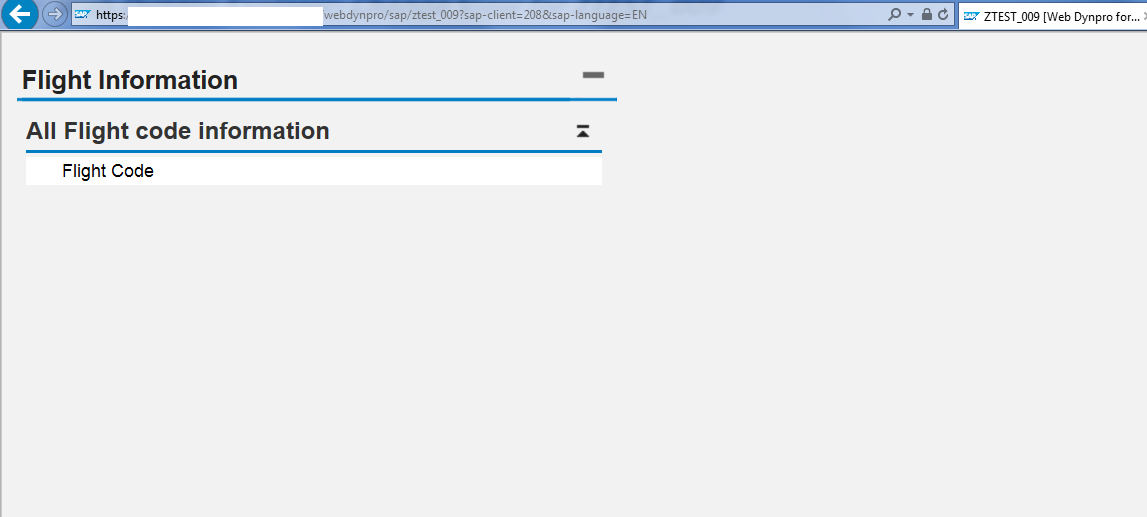
Create an application and test. It should look like below.
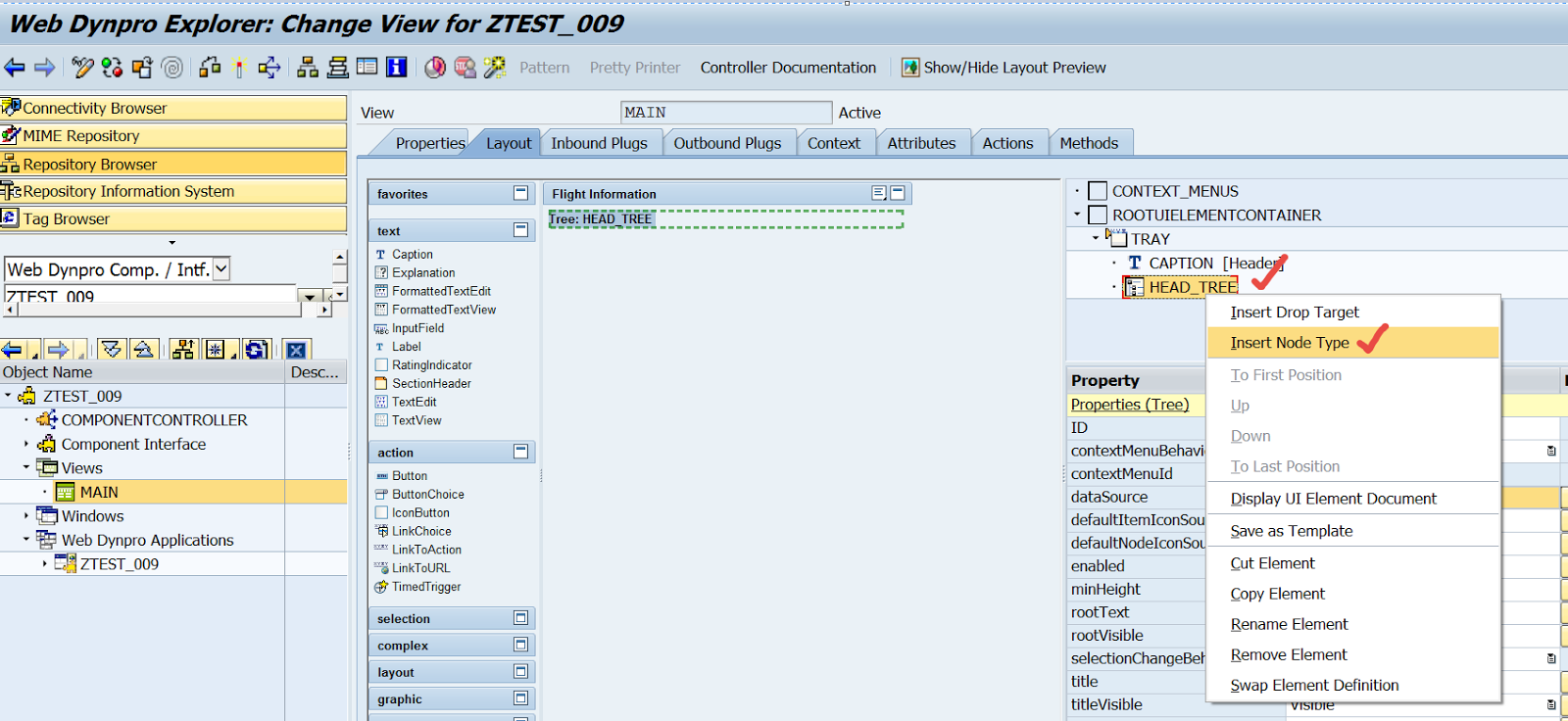
Under the Tree UI element, add a node type.
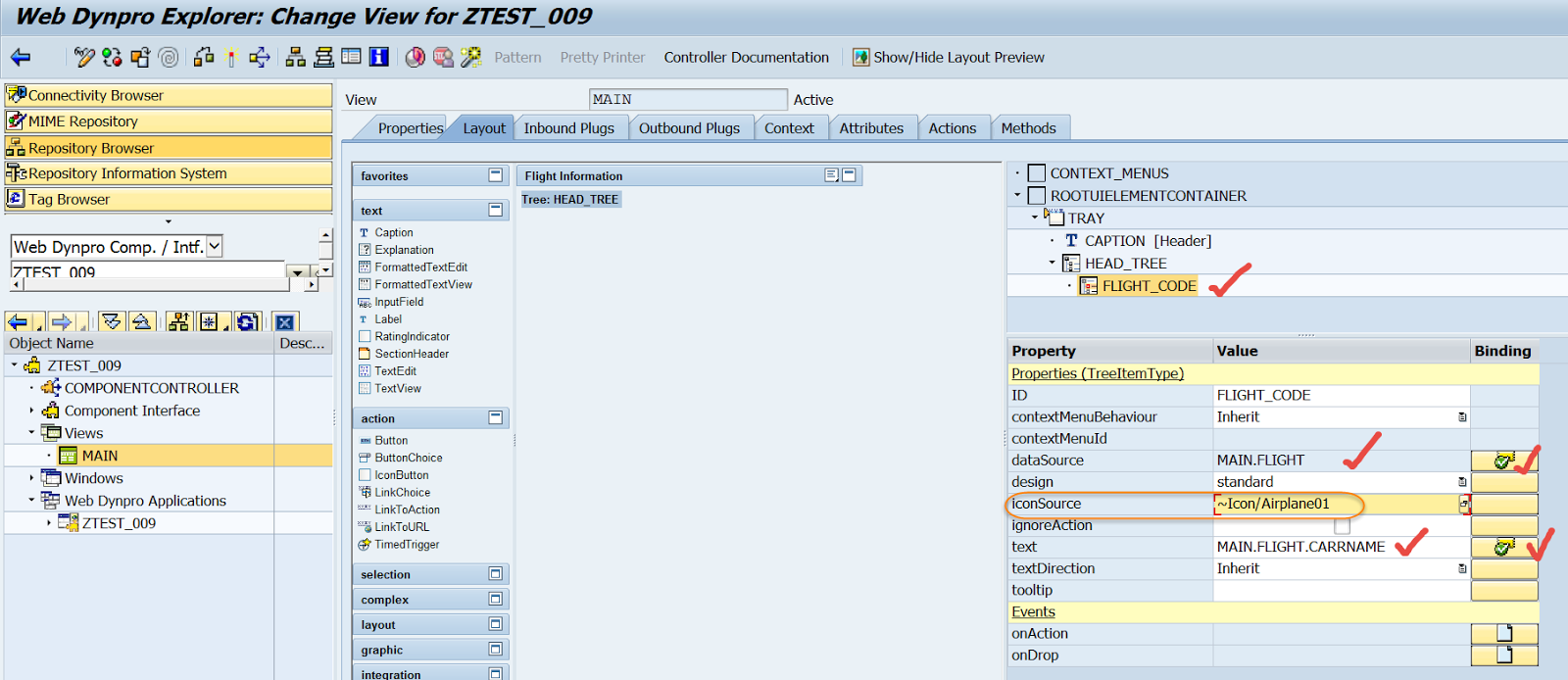
Provide a Id and Type.

Bind the text to the context node->attribute and may be the ICON.
Provide the below code in the VIEW INIT method to bind the context no table..

Test the application.

 SAPCODES