 Lock & Unlock Client in SAP
December 10, 2016 12:43 pm
Lock & Unlock Client in SAP
In SAP system to lock/unlock a client, function module – SCCR_LOCK_CLIENT can be used to lock a client and function module – SCCR_UNLOCK_CLIENT can be used to unlock a client.
For this demo 200 client is used.
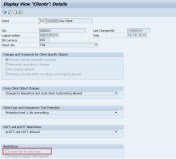
Go to Tx- SCC4 and double click the client 200. It is not locked now.
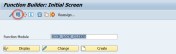
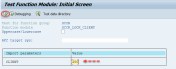
To lock a client goto Tx- SE37 and execute FM- SCCR_LOCK_CLIENT and provide the client number to be locked ( obviously the user needs specific autorization).
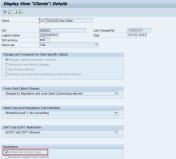
Again run Tx- SCC4 and open client 200 and its locked now.
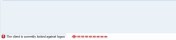
When user tries to login into 200 client the below error appears.
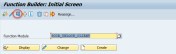
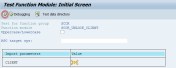
To release the lock of a locked client execute the function module- SCCR_UNLOCK_CLIENT in Tx- SE37 and provide the locked client number.
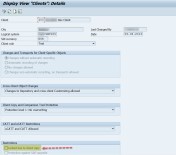
Again run Tx- SCC4 and open the client 200. The lock released and user can login to the system with this client.
Posted by coderobbot
Categories: Uncategorized
Tags:
Mobile Site | Full Site
Get a free blog at WordPress.com Theme: WordPress Mobile Edition by Alex King.
Hi,I log on to your blog named “Lock & Unlock Client in SAP – SAPCODES” like every week.Your writing style is witty, keep up the good work! And you can look our website about love spell.
LikeLike
By tyshfymuck@gmail.com on July 2, 2018 at 8:24 am
Very Well explained:)
LikeLike
By Sucharitra on July 27, 2018 at 11:04 am